
On this page
Key takeaways
- WiFi broadband is now available in Reduwas from DVM Techno’s Kasni branch, over the air, with unlimited plans from 400 rupees a month and free installation.
- Before installation, a free signal check at your home confirms the connection works there and which plan suits your family.
- Installation of the antenna and router usually takes 2 to 3 hours, and in most villages the internet starts the same day.
- In the first week, change the WiFi password, place the router well, connect the TV and phones, and save the support number.
WiFi is now available in Reduwas: what does that mean for your home?
WiFi broadband is now available in Reduwas from DVM Techno’s Kasni branch. It reaches your home over the air to a small antenna on the roof, with no cable laid to your house, and plans start at 400 rupees a month with unlimited data. Every plan has no FUP, so the speed does not drop after a set amount of data, and installation is free.
For a home getting its first unlimited broadband connection, the change is practical. Phones stop counting data, the TV can play videos without a hotspot, and children can attend an online class while someone else is on a video call. The Reduwas broadband page lists the plans; this guide walks through what happens from your first call to your first week online.
What does the free site survey at your home check?
The survey is a free signal test at your home: the team checks the wireless signal where the antenna would go and confirms which plan you can take. Coverage is decided house by house, so the test at your own roof matters more than what a neighbour gets.
Wireless broadband travels through the air from the provider’s tower to your antenna, which is why a clear path matters. Trees, a water tank or a taller building in the way can weaken the signal at one corner of the roof and not another. Our general guide to getting a WiFi connection in a village explains line of sight in more detail.
You can make the visit quicker by having these answers ready:
- Roof access: how the team can get on the roof, and who will be at home.
- Rooms: where you most need WiFi, for example the room where children study or where the TV is.
- Devices: how many phones, laptops and TVs will connect at the same time in the evening.
- Use: online classes, video calls, streaming, UPI and net banking, or a shop counter.
- Plan: which of the four plans you are considering, so the team can confirm it at your address.
What happens on installation day?
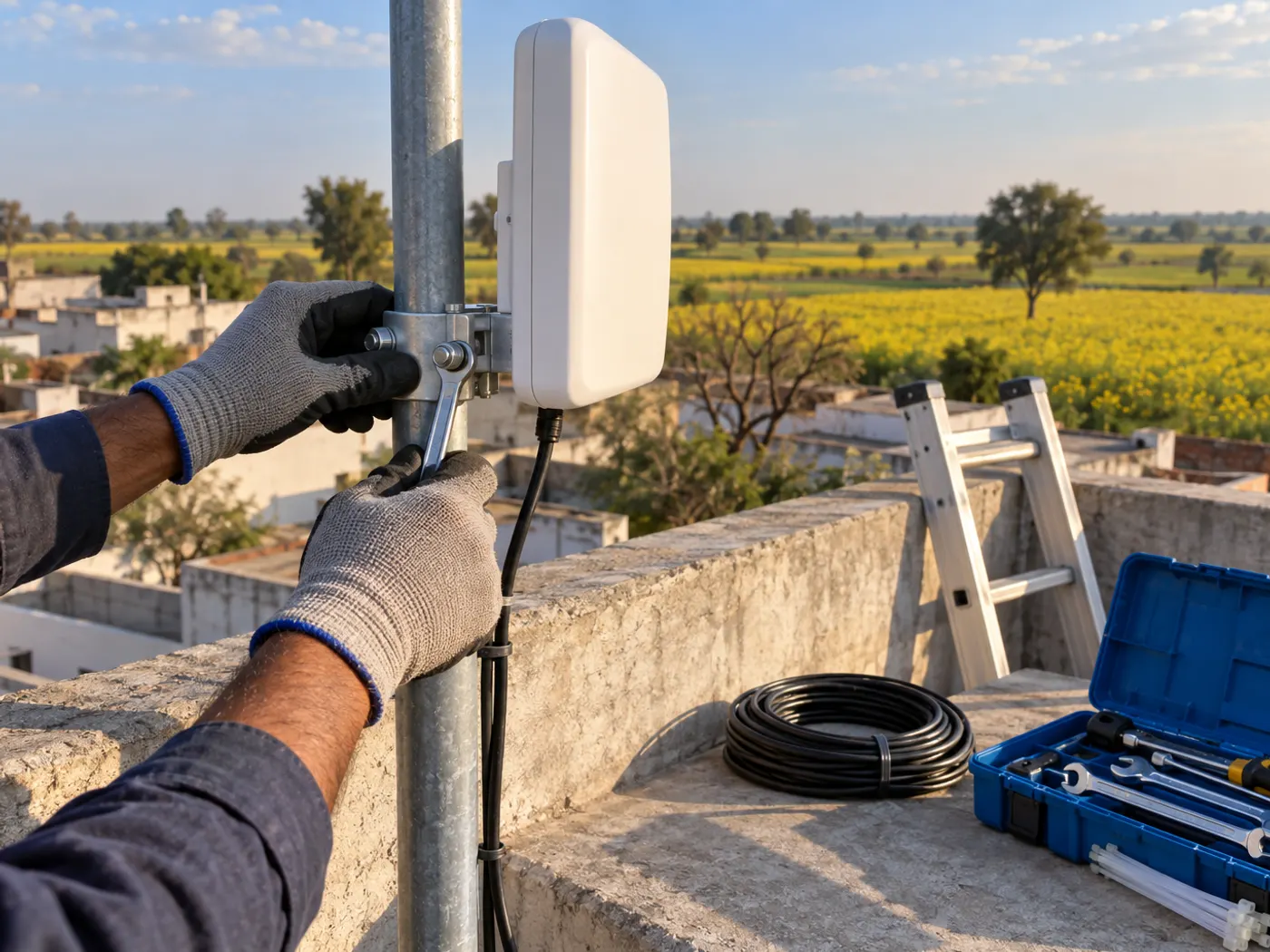
On installation day the antenna is fixed on your roof, the router is set up inside, and the connection is tested, usually in 2 to 3 hours and free of cost. In most villages the internet starts the same day.
- Antenna on the roof: a small antenna is mounted where the survey found a good signal.
- Router inside: the router is placed in the house and connected to the antenna.
- Testing: the connection is checked before the team leaves.
- First devices: connect your phone while the installer is still there, so you know the WiFi name and password work.
Keep a power socket free where you want the router, and ask the installer to show you the router’s lights when everything is working. Knowing what “normal” looks like makes later problems easier to describe.
What should you do in the first week with home WiFi?
Spend the first week setting up a few basics: a password only your family knows, a good spot for the router, and every phone and TV connected. This checklist covers the main jobs.
| Task | Why it matters | How to do it |
|---|---|---|
| Change the WiFi password | A password shared during installation, or guessed by a neighbour, lets others use your connection and slow it down | Ask the installer to show you how to open the router’s settings; choose a long password that is not a phone number or name |
| Place the router well | Walls, steel almirahs and floors weaken WiFi inside the house | Keep it high, near the middle of the home, away from the fridge and microwave |
| Connect the TV | Videos on a big screen use your unlimited broadband instead of mobile data | On a smart TV, open network settings and pick your WiFi; an older TV needs a streaming device on its HDMI port |
| Move phones to WiFi | Saves mobile data for when you are away from home | Connect each family member’s phone once; it reconnects automatically |
| Save the support number | You will not need to search for it when something stops | Save +91-8448523313 on phone and WhatsApp |
If one room still gets weak WiFi after you move the router, our guide on fixing slow WiFi and increasing range lists the usual causes and fixes. Also try the connection in the evening, when the whole family is online, to see whether your plan is enough.
What can you expect from local support?
Support for Reduwas comes from the local team at DVM Techno’s Kasni branch, by phone and WhatsApp, and the team can visit your home if something needs fixing. Phone and WhatsApp hours are Monday to Saturday, 9 AM to 7 PM.
Before you call, two quick checks often solve the problem or help the team find it faster:
- Check power: make sure the router is switched on and its lights are on.
- Restart once: switch the router off, wait a minute and switch it on again.
- Test another device: if one phone cannot connect but others can, the problem is with that phone.
- Describe it clearly: share your name, village, which lights are on or off, and when the problem started. A photo of the router on WhatsApp helps.
How to get connected in Reduwas
- Call or WhatsApp +91-8448523313 and tell the team you are in Reduwas, with the plan you want.
- Book the free signal test at your home.
- Get the antenna and router installed free, usually in 2 to 3 hours.
- Start using unlimited internet, in most villages on the same day.
Details for your village are on the WiFi broadband in Reduwas page, and the full list of villages served is on the Kasni broadband page.
Plans and prices
All four plans have unlimited data, no FUP and local support from Kasni. Prices include GST.
| Plan | Speed | Monthly price | Good for |
|---|---|---|---|
| Basic | 30 Mbps | 400 rupees a month (GST included) | One or two users: online classes, UPI and net banking, WhatsApp and video on one device |
| Starter | 50 Mbps | 600 rupees a month (GST included) | Online classes and coaching apps, net banking, HD video on one or two devices |
| Standard | 100 Mbps | Call or WhatsApp for price | Families with several phones and a smart TV, work-from-home video calls |
| Premium | 200 Mbps | Call or WhatsApp for price | Shops and offices, 4K streaming, remote CCTV viewing, many devices at once |
Not sure which speed you need? Our 50 vs 100 vs 200 Mbps guide explains the difference. To book, see Reduwas plans or call +91-8448523313.
Frequently Asked Questions
Is WiFi broadband available in Reduwas now?
Yes. DVM Techno now covers Reduwas from its Kasni branch with wireless broadband that reaches your home over the air to a small antenna on the roof. Plans start at 400 rupees a month for 30 Mbps, with unlimited data and no FUP. A free signal test at your home confirms the connection before installation.
What does the site survey check at my house?
The survey is a free signal test at your home. The team checks the wireless signal where the antenna would be mounted and confirms which plan you can take. Because trees, water tanks or taller buildings can block the signal, results can differ between two houses in the same village, so the test is done at your own roof.
How long does installation take in Reduwas?
Installing the antenna and router usually takes 2 to 3 hours, and it is free. In most villages the internet starts on the same day as the installation, after the signal check. Keep a power socket free where you want the router and make sure someone can show the team the way to the roof.
Why should I change the WiFi password after installation?
The password used during installation may have been seen or shared, and a simple password can be guessed. If neighbours connect, your speed drops when everyone is online. Ask the installer to show you how to open the router settings, then set a long password that is not a phone number, name or date of birth.
How do I connect my TV to the new WiFi?
On a smart TV, open the network or WiFi settings, choose your WiFi name and type the password once; the TV will reconnect by itself after that. An older TV without WiFi needs a streaming device plugged into its HDMI port, which then connects to your WiFi. Unlimited data means you do not need to count hours of video.
Who do I call if the internet stops working?
Call or WhatsApp DVM Techno’s local team at the Kasni branch on +91-8448523313, Monday to Saturday, 9 AM to 7 PM. First check the router has power and restart it once. Then share your village, which router lights are on and when the problem started. The team can visit your home if something needs fixing.
Related articles
Get WiFi in Reduwas
Unlimited wireless broadband with no FUP in Reduwas from our Kasni branch: 30 Mbps for 400 rupees a month and 50 Mbps for 600 rupees a month (GST included), plus 100 and 200 Mbps plans, with free installation. Call or WhatsApp +91-8448523313.