
Quick answer
Installing CCTV in an Indian home or office takes five steps: map every entry point, choose cameras of at least 2MP (IP66-rated for outdoors), pick a DVR for analog cameras or an NVR for IP cameras, run protected cable to a secure recorder spot, then connect it to your router for smartphone viewing. Four cameras cover most homes.
- Walk the property and sketch camera positions first, so cable lengths and entry points are planned before you buy.
- A DVR with HD analog cameras is the best-value choice for most homes, while an NVR with IP cameras suits larger offices that need higher resolution.
- Avoid the common mistakes: cameras facing bright light, unlabelled cables, no UPS backup and a recorder kept in a hot spot.
June 20, 20269 min readCCTV Installation
- IP66Minimum weatherproofing rating for outdoor cameras
- 4Cameras are enough for most Indian homes
- 24/7Remote viewing from any smartphone
- 30 daysTypical footage storage on 1TB HDD
1. Why Every Indian Home Needs CCTV in 2026
India recorded 8,78,307 cases of offences against property in 2023, including 1,07,573 burglaries, according to NCRB, Crime in India 2023. From metro apartments to Haryana villages, theft, vandalism and trespassing are everyday concerns. CCTV cameras serve two purposes: they deter criminals before the act, and they provide evidence after.
Modern CCTV systems are affordable, easy to monitor via smartphone, and can be installed in a single day. For most Indian homes, a 4-camera setup covering the main gate, parking, front door and backyard is sufficient.
2. Planning Your CCTV System
Before buying a single camera, spend 30 minutes walking around your property and answering these questions:
- How many entry points? Count gates, doors, windows accessible from outside
- Indoor or outdoor? Outdoor cameras need IP66 weatherproofing rating minimum
- Night coverage needed? Almost always yes — most break-ins happen at night
- Where will the DVR/NVR sit? Needs power, internet and a lockable cabinet
- Internet speed? 10 Mbps upload is enough for remote viewing
Map out camera positions on a rough sketch of your property. This helps you calculate cable lengths accurately before purchase.
3. Choosing the Right Cameras
Indian market offers cameras across wide quality and price ranges. Key specifications to evaluate:
- Resolution: Minimum 2MP (1080p Full HD) for useful footage. 4MP or 5MP for number plate capture
- Night vision range: 20–30 metres is standard for home use. Look for IR LED count
- Lens angle: 2.8mm wide (90°+) for indoor, 4mm standard for outdoor corners
- Weatherproofing: IP66 minimum for outdoors; IP67 for areas with direct rain
- Brands: Hikvision, Dahua, CP Plus, Honeywell — all have strong India service networks
4. DVR vs NVR: Which to Choose
DVR (Digital Video Recorder):
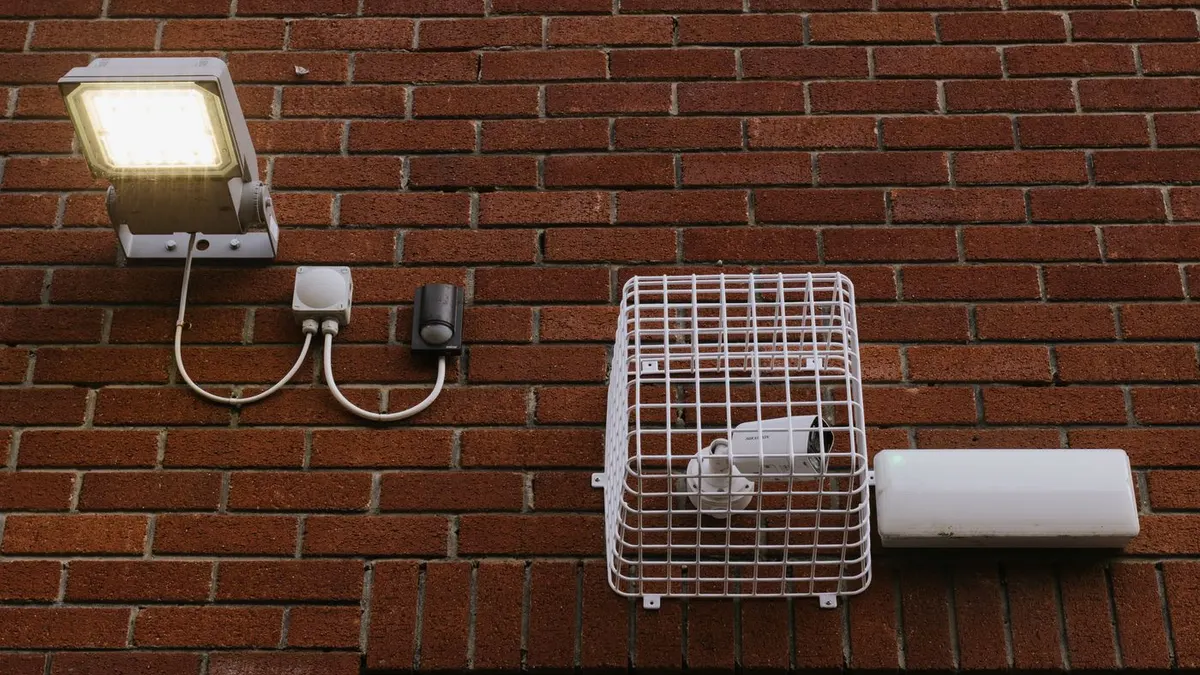
Works with analog cameras. Cheaper setup cost. Uses coaxial cables. Good for budget installations of 4–8 cameras.
NVR (Network Video Recorder):
Works with IP cameras. Higher resolution. Uses CAT5/CAT6 network cables. Better scalability and remote access.
For most Indian homes and small offices, a DVR + HD analog cameras system offers the best value. For larger offices or when higher resolution is needed, go with NVR + IP cameras.
5. Cable Routing & Installation Steps
- Mark camera positions and drill mounting holes
- Run coaxial (for DVR) or CAT6 (for NVR) cables from each camera to DVR location — use conduit pipes to protect cables
- Mount cameras, connect cables, and power each camera
- Connect DVR/NVR to monitor for initial setup
- Set recording schedule (motion-triggered or 24/7)
- Connect DVR/NVR to router for remote access
- Install mobile app and configure push notifications
6. Setting Up Remote Viewing
All modern DVR/NVR units support remote viewing via free manufacturer apps (iVMS-4500 for Hikvision, gDMSS for Dahua, iCSee for CP Plus). You'll need:
- DVR connected to your router via ethernet
- Port forwarding set on your router (ports 80 and 8000 typically)
- Or use P2P/cloud connection (easier, no port forwarding needed)
Once set up, you can watch live footage and playback recordings from anywhere in the world on your smartphone.
7. Common Mistakes to Avoid
- Pointing cameras into direct sunlight or bright lights — causes washed-out footage
- Too few cameras — 4 cameras for a large bungalow leaves blind spots
- Not labelling cables — makes troubleshooting a nightmare later
- No UPS backup — power cuts mean recording gaps
- Storing DVR in hot location — heat kills hard drives faster
8. Cost Breakdown
A typical 4-camera home installation in India is made up of these cost items:
- 4× 2MP HD cameras: usually the biggest share of the bill — resolution and brand decide the price
- 4-channel DVR: brand and features decide the price; choose one with room to add cameras later
- 1TB hard drive: a bigger drive costs more but keeps footage for longer
- Cables, connectors, power supply: depends on how far each camera is from the DVR
- Professional installation labour: depends on cable length, wall type and whether conduit piping is used
- Budget tip: ask for an itemised quote that includes the hard drive and labour, so you can compare installers fairly
Sources
Frequently Asked Questions
Do I need a professional to install CCTV, or can I DIY it?
Should I choose a DVR or NVR for a new installation?
How long does footage stay stored on a typical home setup?
What's the most common mistake people make when installing CCTV themselves?
DVM Techno Team
Security & surveillance experts based in Haryana. DVM Techno installs CCTV systems across homes, offices, schools and factories in Delhi-NCR and Haryana.
Related Articles
Get CCTV Installed by Experts in Haryana & Delhi-NCR
DVM Techno provides professional CCTV installation for homes, offices, schools and factories. Free site survey and quick installation.