
Quick answer
To keep a CCTV system running reliably in Indian conditions, clean camera lenses and dome covers monthly, check every feed, recording status, night vision and hard-drive space each month, and do a yearly deep service of cables, power supply, firmware, UPS battery and HDD health. Dust, heat and monsoon humidity are the main threats, so preventive care beats repairs.
- Monthly checks cover camera feeds, night vision, DVR date and time, recording status, storage space and remote viewing.
- Once a year, deep-clean every camera, check connectors for moisture, test power and the UPS, update firmware and review HDD SMART data.
- Repair faults caused by dirt, cables, connectors or power; replace cameras with damaged sensors, cracked or flooded housings, or repair costs above 60% of a new camera.
June 20, 20266 min readCCTV Installation
- MonthlyLens and dome-cover cleaning in dusty Indian conditions
- YearlyDeep clean, cable checks, firmware update and UPS test
- Surveillance-gradeThe HDD type to fit when a drive fails (e.g. WD Purple, Seagate SkyHawk)
- DustThe most common cause of CCTV faults we see, followed by HDD failure
1. Why Maintenance Matters More in India
Indian conditions are uniquely harsh on CCTV equipment: dust storms (especially in Haryana and Rajasthan), monsoon humidity, extreme summer heat, power fluctuations, and insects. That is why a CCTV system in India needs regular preventive maintenance, not just a repair call when something breaks, to stay reliable.
In our experience, the most common cause of CCTV failure in India is dust accumulation blocking IR LEDs and reducing night vision range, followed by HDD failure due to heat and power spikes.
2. Monthly Maintenance Checklist
- Check all camera feeds on monitor — any black screen, blurry, or discoloured feeds?
- Verify night vision working on at least 2 cameras after dark
- Check DVR date/time — must be accurate for evidence validity
- Confirm recording is active (green REC indicator on DVR screen)
- Check HDD storage: if less than 20% space, oldest footage is being overwritten
- Test remote viewing on smartphone — login still works?
- Wipe dome camera covers with dry microfibre cloth to remove dust
3. Annual Maintenance Tasks
- Deep clean all cameras — remove dome covers and clean lens with lens-safe cloth
- Check all cable connections at DVR and camera ends — moisture can corrode connectors
- Apply electrical tape to any outdoor cable joints to prevent water ingress
- Check power supply voltages with multimeter
- Update DVR firmware to latest version
- Test UPS battery — replace if not holding charge for 30+ minutes
- Check HDD SMART data for failing sectors
4. Common CCTV Problems & Fixes
- Black screen on one camera: Check power to that camera first. Then check cable connection. Finally, test with a replacement camera.
- Blurry footage: Clean the lens. If still blurry, the lens may have fogged — common in humid monsoon conditions. Clean with anti-fog cloth.
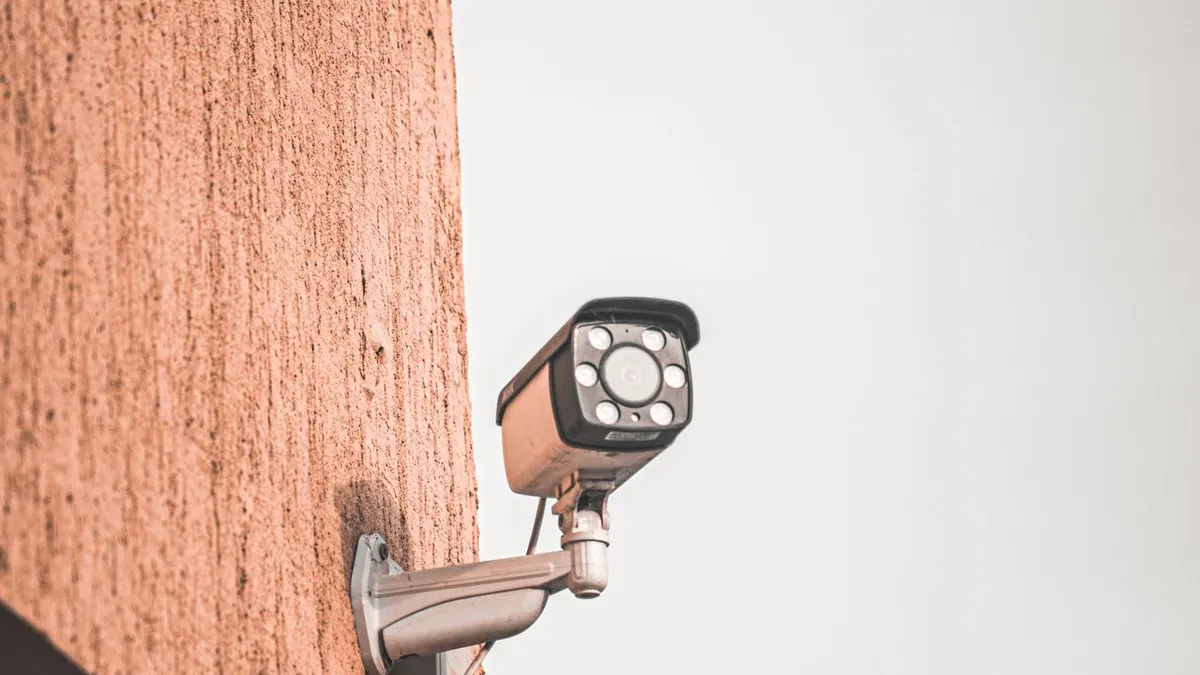
- No night vision: Clean IR LEDs with dry cloth. Check for IR cut filter stuck in wrong position. Replace IR LEDs if physically damaged.
- DVR not recording: Check HDD status in DVR menu. HDD may have failed. Replace with a surveillance-grade HDD (WD Purple, Seagate SkyHawk).
- Remote viewing not working: Check if router/internet is connected. Check if dynamic IP has changed — consider DDNS setup.
- Footage skipping/corrupted: Typically HDD failure. Run SMART diagnostic. Replace HDD.
5. When to Replace vs Repair
Replace a camera if: image sensor is physically damaged, housing is cracked/flooded, cost of repair exceeds 60% of replacement cost, or the camera is more than 6 years old (technology has improved significantly).
Repair/maintain if: it's an issue with cleaning, cables, connectors, or power supply — all much cheaper than camera replacement.
Frequently Asked Questions
How often should I clean my CCTV cameras in India?
Why does CCTV equipment fail faster in Indian conditions?
What does an Annual Maintenance Contract (AMC) typically include?
When should I repair a camera versus replace it entirely?
DVM Techno Team
Security & surveillance experts based in Haryana. DVM Techno installs CCTV systems across homes, offices, schools and factories in Delhi-NCR and Haryana.
Related Articles
Get CCTV Installed by Experts in Haryana & Delhi-NCR
DVM Techno provides professional CCTV installation for homes, offices, schools and factories. Free site survey and quick installation.