
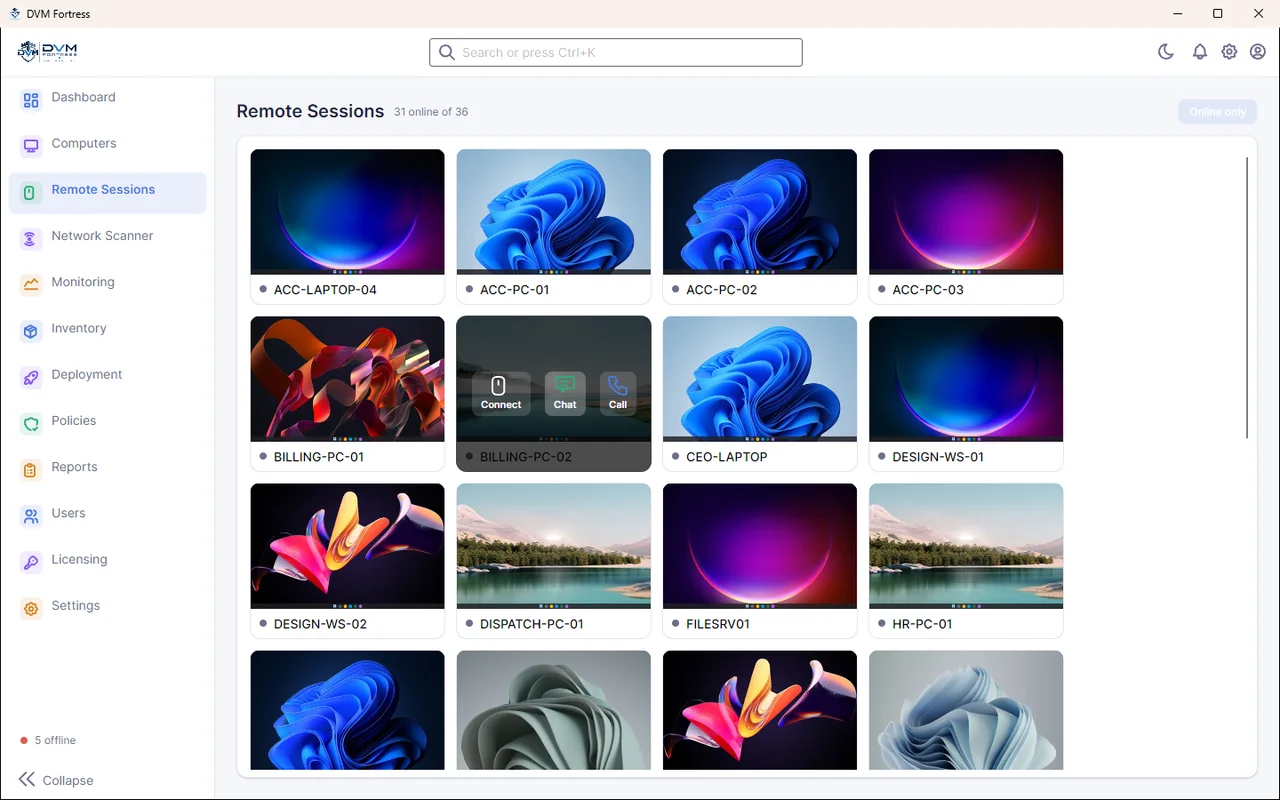
Live Remote Sessions
A live thumbnail wall of every PC. Hover to connect, chat or call; open a full session with adjustable quality to see and control the user's screen.
- Live thumbnails
- Remote control
- Chat & call
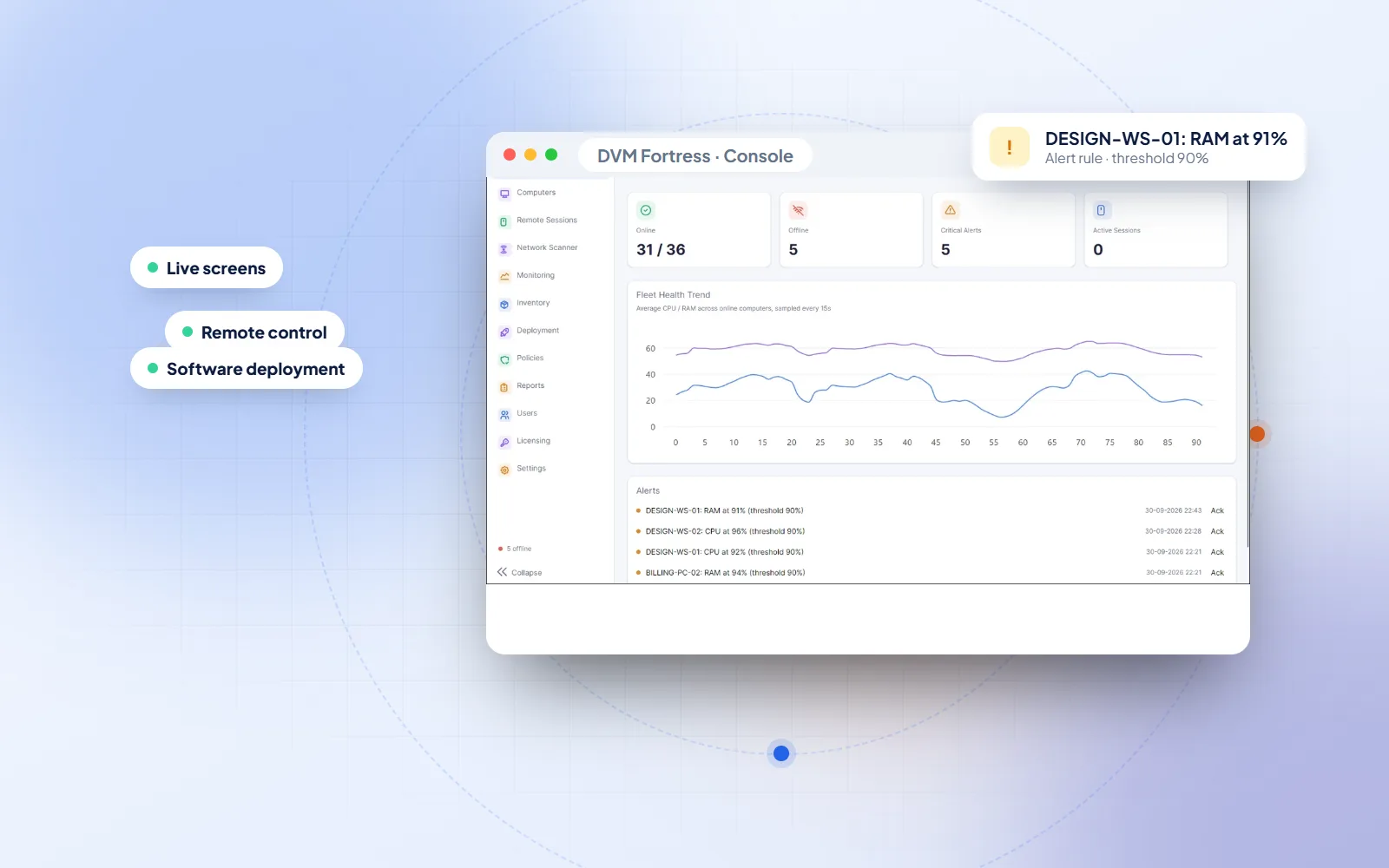
DVM Fortress · Remote Monitoring & Management
See every Windows computer live, take control in one click, move files, run commands, push software and get alerted before users call — all from one DVM Fortress console.
Quick answer
DVM Fortress is remote monitoring and management (RMM) software made by DVM Techno. A small agent on each Windows PC reports health and a live screen thumbnail to a central server, and IT admins use the Fortress console to watch every computer, take remote control, transfer files, run terminal commands, deploy software and set alert rules — with role-based permissions for each team member.
One Console
Walking to a desk to fix a printer driver, chasing a laptop that went offline or guessing which PC is slowing down — DVM Fortress replaces all of that with one console that shows every company computer, live.
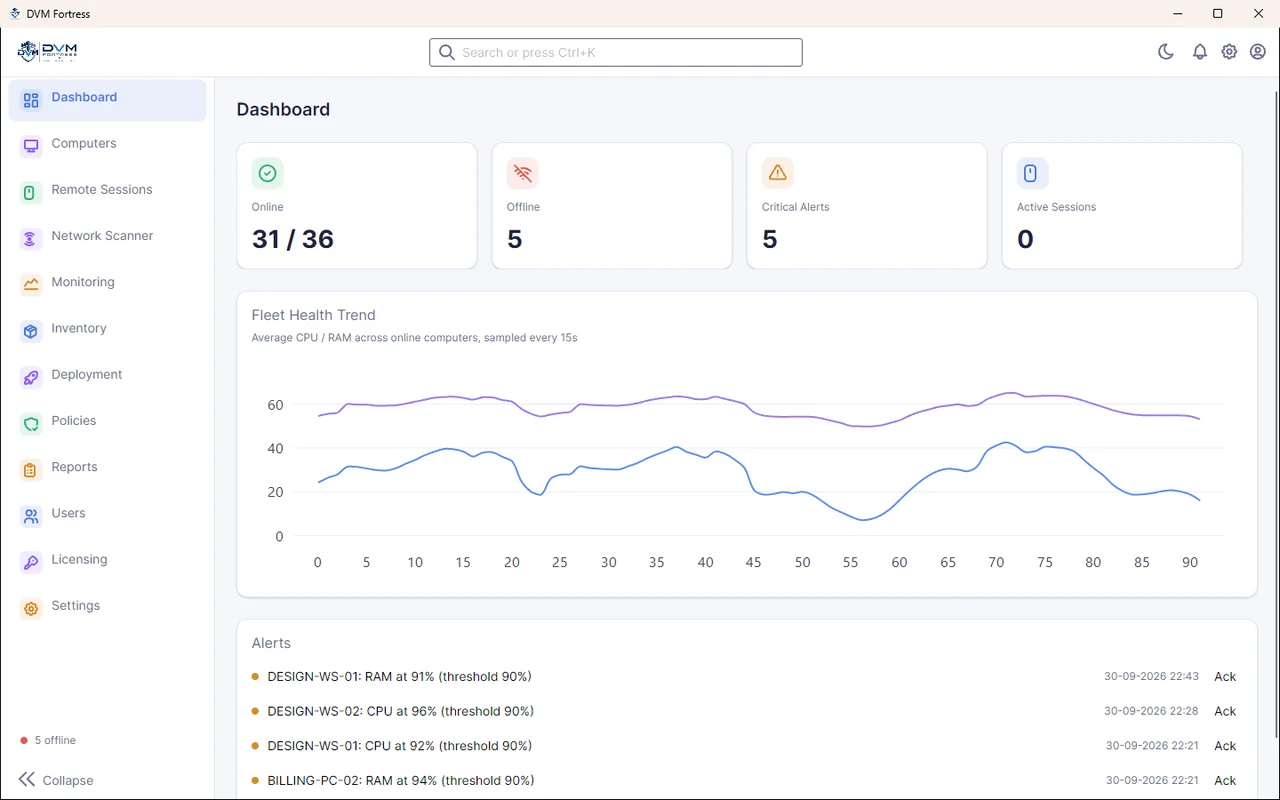
The dashboard counts online and offline machines, charts fleet CPU and RAM over time and lists every alert. From there, one click opens a full remote session, or you can push a fix to many PCs at once.
Built by the team behind DVM VigiCore and our custom software projects in Gurgaon.
Watch: every feature
A narrated 4-minute tour of the Console: the dashboard, live screens, bulk actions, remote control with files, terminal, power and device controls, chat and voice calls, the network scanner, alert policies, inventory, deployment, roles and the web portal.
Watch: setup guide
Install the server (it brings its own database and web portal), sign in to the Console and trust your server's certificate, then add PCs with the agent setup your server builds for you. Silent install is supported for many PCs.
Both videos are narrated. The screens are animated recreations of the current Fortress build; computer names are demo data.
CH.01 · Platform
Monitoring, remote support, deployment, alerting and access control — in one product instead of five.
A live thumbnail wall of every PC. Hover to connect, chat or call; open a full session with adjustable quality to see and control the user's screen.
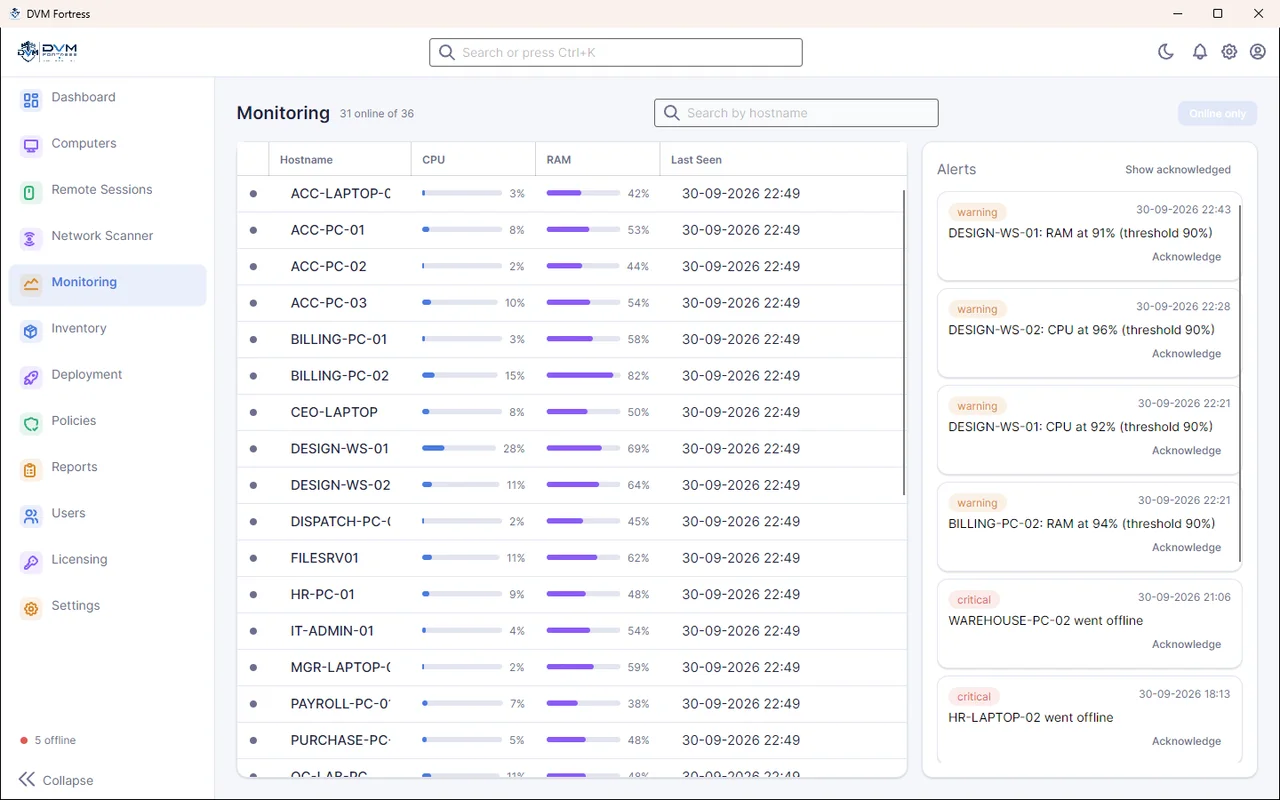
CPU and RAM for every computer, updated live, with last-seen time.
Thresholds for CPU, RAM and agent-offline, each switched on or off.
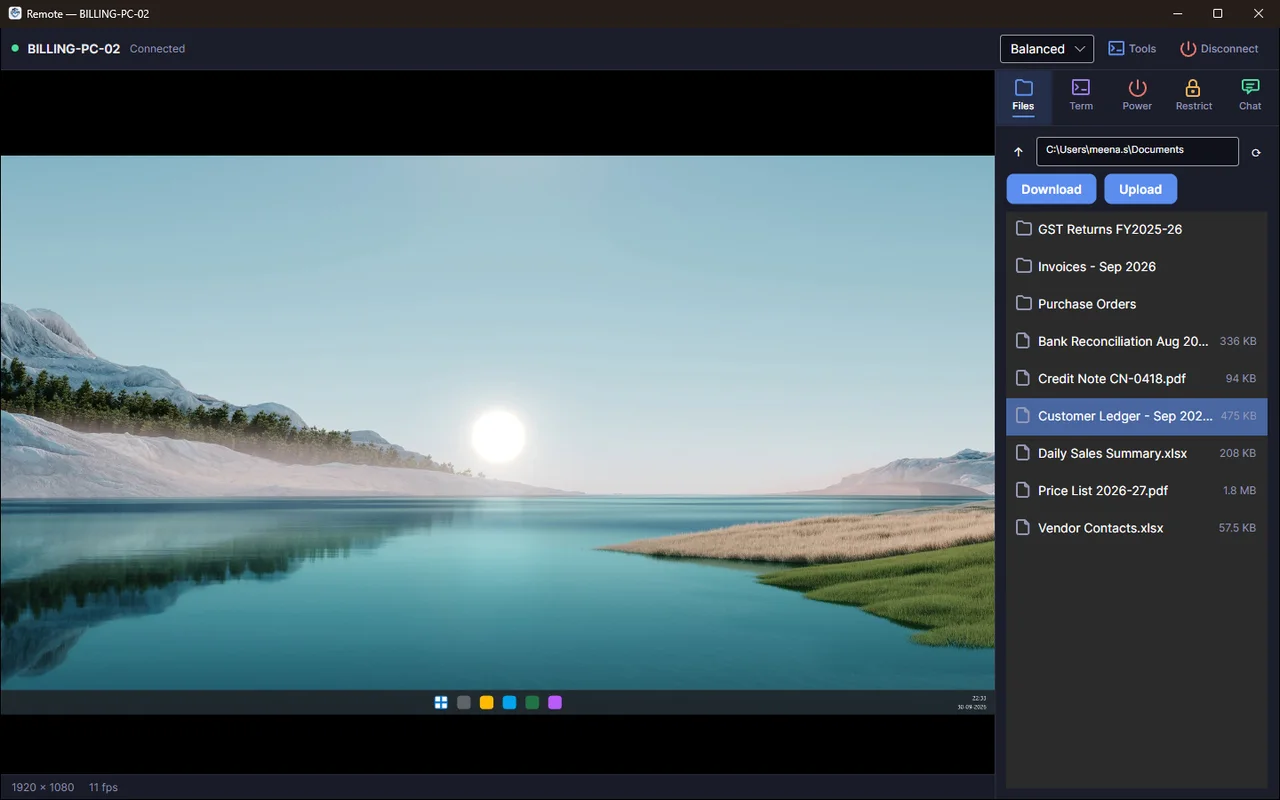
Browse a remote PC's folders and upload or download files.
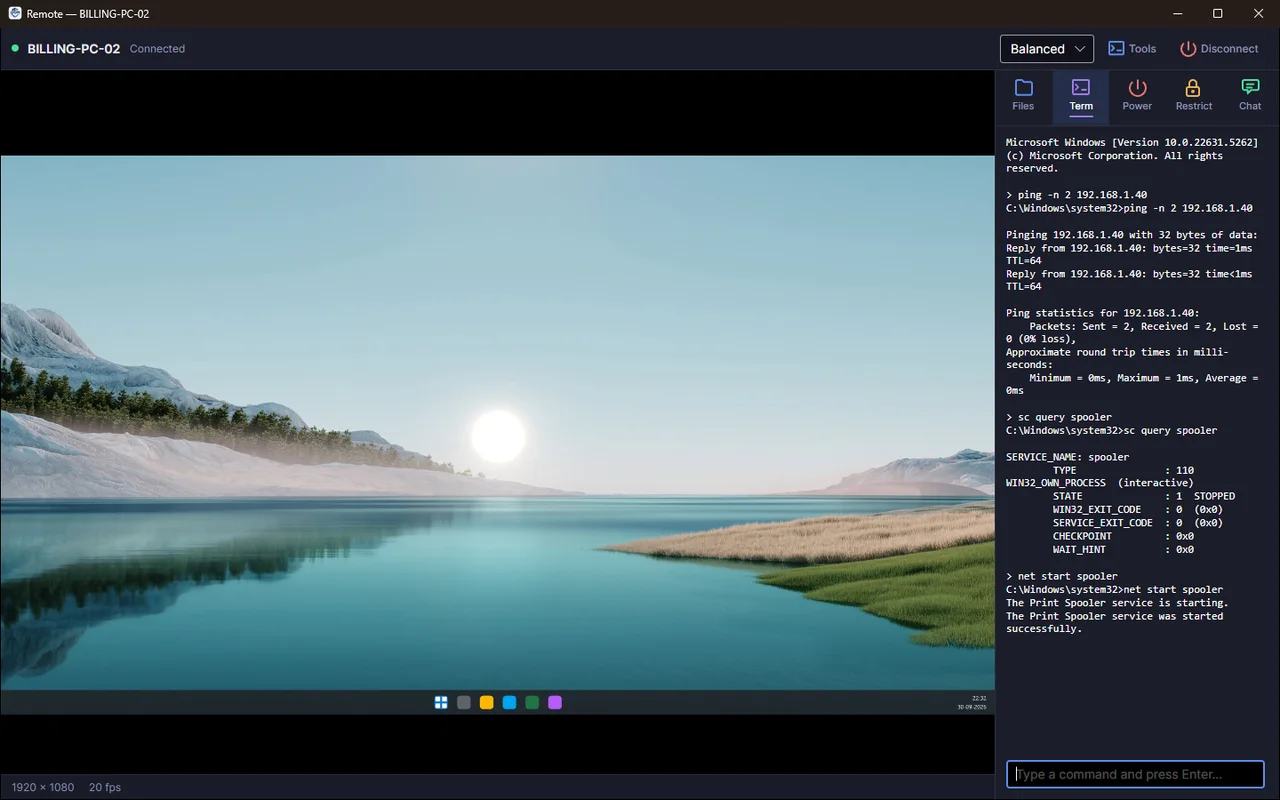
Run command-prompt commands on a remote PC and see the output.
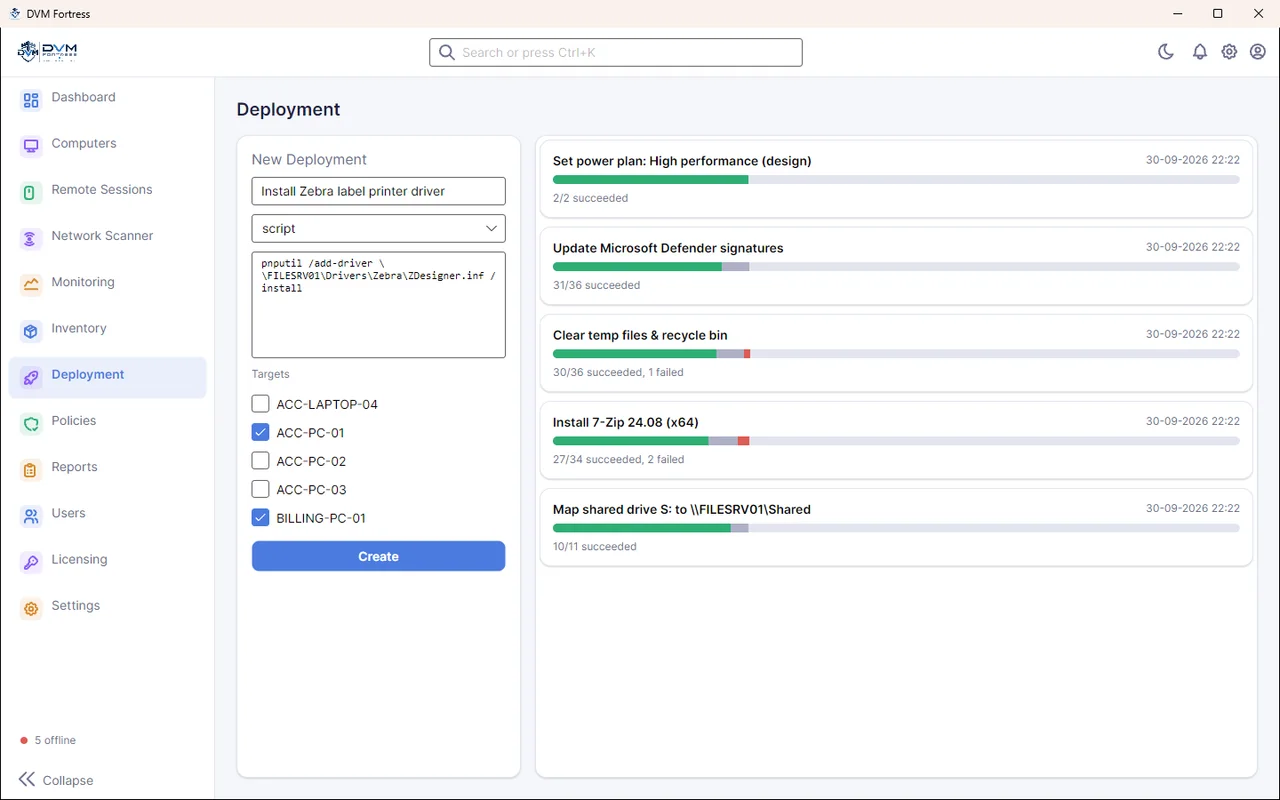
Push scripts, MSI and EXE installers to selected PCs and track results.
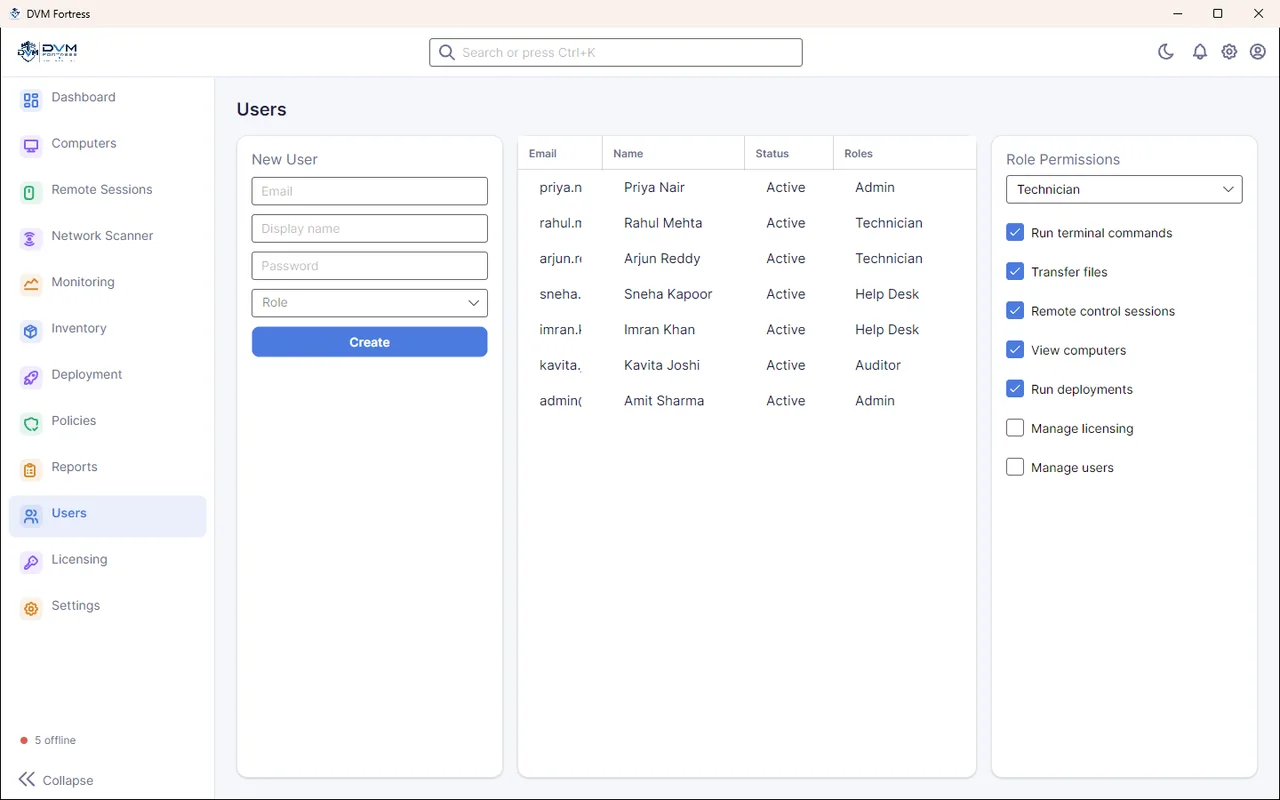
Administrator, Technician, Helpdesk and Viewer roles with granular permissions.
Ping-sweep the office network and see hostnames, MAC vendors and open ports.
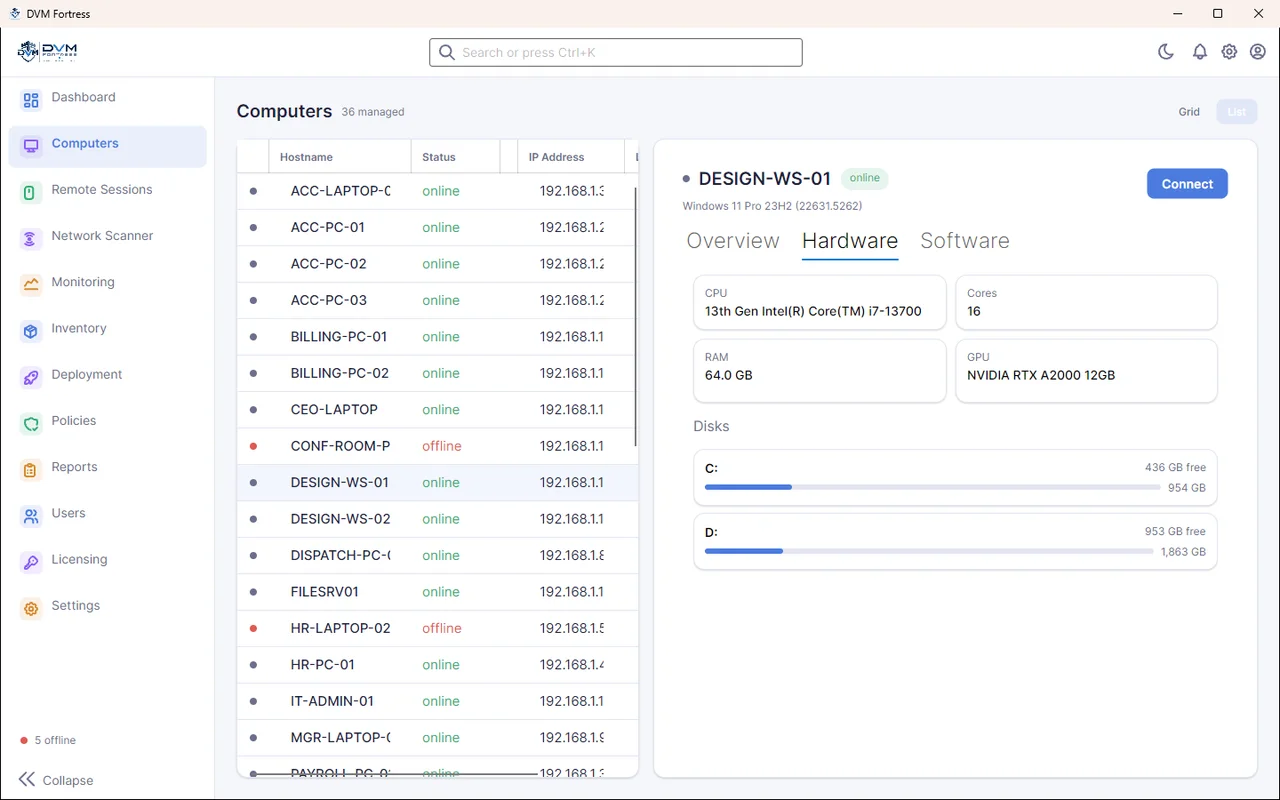
Hardware (CPU, RAM, GPU, disks) and installed software for every computer.
CH.02 · Remote Session
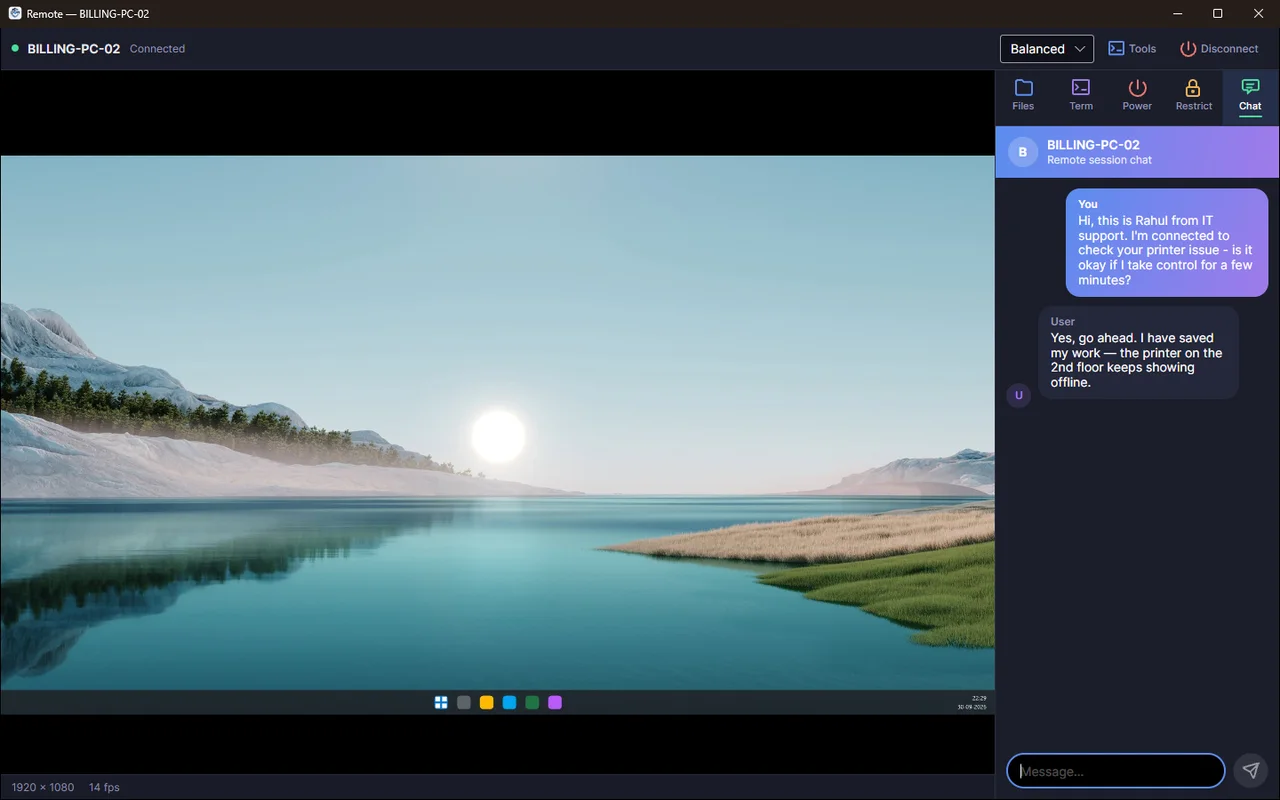
A remote session puts every support tool beside the user's live screen, so most tickets close in one sitting.
Watch the screen live or take mouse and keyboard control, with quality presets and shared clipboard.
Message the person at the PC in a side panel — ask before you take over.
Upload a driver or download a report from the remote folder in seconds.
Ping, query services and restart the print spooler from a remote command prompt.
Shut down, reboot, lock, blank the screen or mute a PC from the session toolbar.
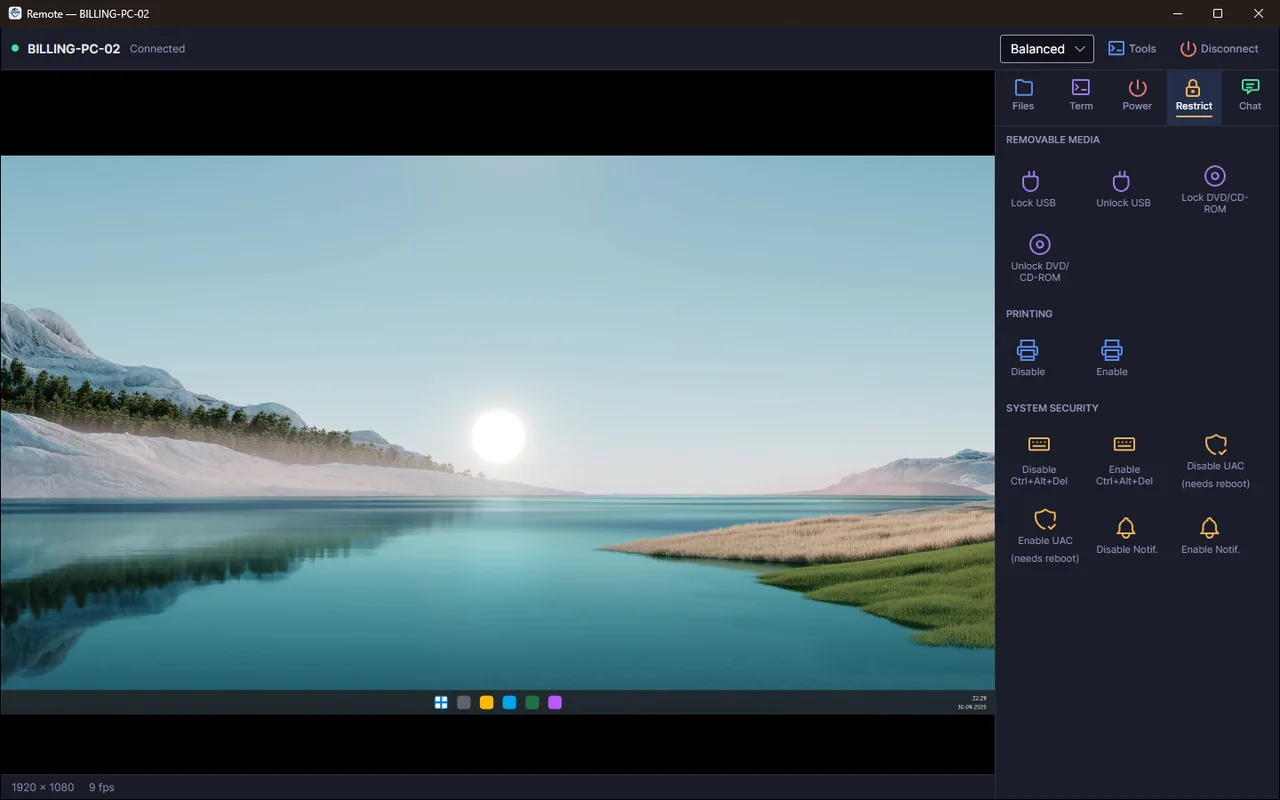
Block USB drives, DVD, printing, Ctrl+Alt+Del, UAC prompts or notifications on a PC.
Terminal, file transfer and remote control each need their own permission, and sessions are audit-logged.
Talk the user through a fix with a voice call from the session.
CH.03 · How It Works
Fortress follows the agent–server–console model used by enterprise RMM tools, sized for Indian offices, schools and factories.
Book a Live DemoLightweight Windows service
A small agent is installed on each PC; it runs silently in the background.
You get: Every PC enrolled
Automatic check-in
Agents register with your Fortress server and report health, inventory and a live thumbnail.
You get: Live fleet view
CPU, RAM, offline
Choose thresholds so Fortress flags problems before users notice them.
You get: Early warnings
Control, files, terminal
Open a remote session, move files, run a command or deploy software to many PCs.
You get: Faster fixes
Roles & permissions
Give technicians and help desk only the rights they need.
You get: Controlled access
CH.04 · Interface
Captured from a running Fortress server with a demo fleet of 36 PCs — the screens your IT team will use every day.
Built For
Wherever an IT team looks after more computers than it can walk to, Fortress puts them all on one screen.

Support every desk from one place and stop walking floor to floor.

Watch every lab screen live and push software before class.
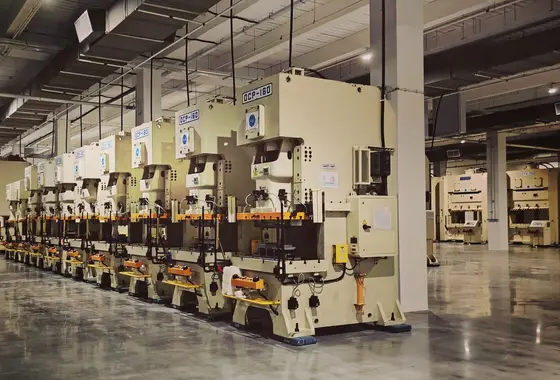
Keep shop-floor and office PCs healthy across sites.
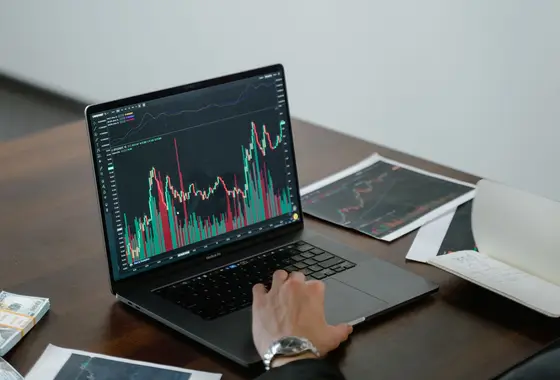
Monitor billing PCs and move files securely.
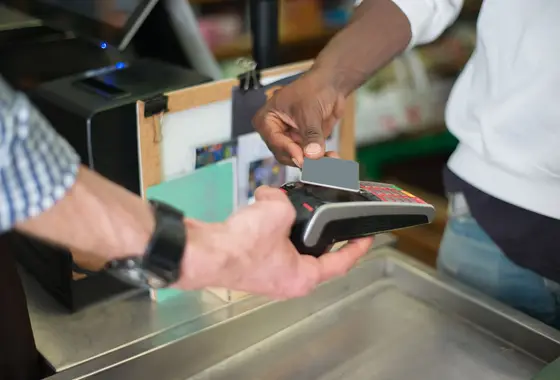
Manage billing counters in many stores remotely.

Keep reception and records PCs running without on-site visits.
FAQs
Straight answers about monitoring, remote control and access.
Want a live demo?
Talk to our team — Mon–Sat, 9 AM – 7 PM, or email info@dvmtechno.com.
RMM (remote monitoring and management) software lets an IT team watch the health of many computers and fix them remotely. A small agent on each PC reports to a central server, and admins use a console to monitor, control, update and support those PCs without visiting them. DVM Fortress is DVM Techno's RMM platform.
See live thumbnails of every PC, take remote control, chat or call the user, transfer files, run terminal commands, reboot, lock or restrict machines, view hardware and software inventory, deploy scripts and installers to many PCs, set CPU/RAM/offline alert rules, scan the network and manage team access with roles.
The Fortress agent runs on Windows PCs and laptops as a background service. The admin console is a desktop application.
Yes. Fortress uses roles such as Administrator, Technician, Helpdesk and Viewer, and each role gets its own permissions — for example run terminal commands, transfer files, remote control sessions, view computers, run deployments, manage licensing and manage users.
Yes. Policies let you set thresholds for CPU usage, RAM usage and an agent going offline. Alerts appear in the console on the dashboard and monitoring screens, where they can be acknowledged.
Yes. The Deployment screen pushes a script or installer to the computers you select and shows how many succeeded or failed.
DVM Fortress is available now. Contact DVM Techno for a live demo, and we will provide the setup and help you install it for your organisation.
It covers the same remote-support need for your own company PCs and adds what those tools don't focus on: fleet monitoring, alerts, bulk software deployment and role-based access in one console.

Tell us how many PCs you manage — we will give you a live demo and set up Fortress for your team. Email info@dvmtechno.com.