
On this page
- How does a CCTV video wall on Android TV work?
- Should the TV connect over Wi-Fi or a network cable?
- Main stream or sub-stream: which should a multi-tile grid use?
- How many camera tiles can a TV box show at once?
- What TV size and viewing distance suit a camera wall, and will it burn in?
- How do you keep a TV video wall secure?
- TV app vs HDMI from the NVR vs a PC monitor wall: which fits your site?
- How DVM Techno Can Help
- FAQs
Key takeaways
- The TV app does not talk to the cameras directly. It signs in to your NVR or VMS and plays the streams that server already receives.
- A wired Ethernet connection is the safe choice for an always-on wall. Wi-Fi can work for a few tiles if the signal is strong and steady.
- Multi-tile grids should use the camera's low-resolution sub-stream. Save the full-quality main stream for a single camera in fullscreen.
- Give each TV its own view-only user account and keep cameras, recorder and TVs on a separate network segment.
How does a CCTV video wall on Android TV work?
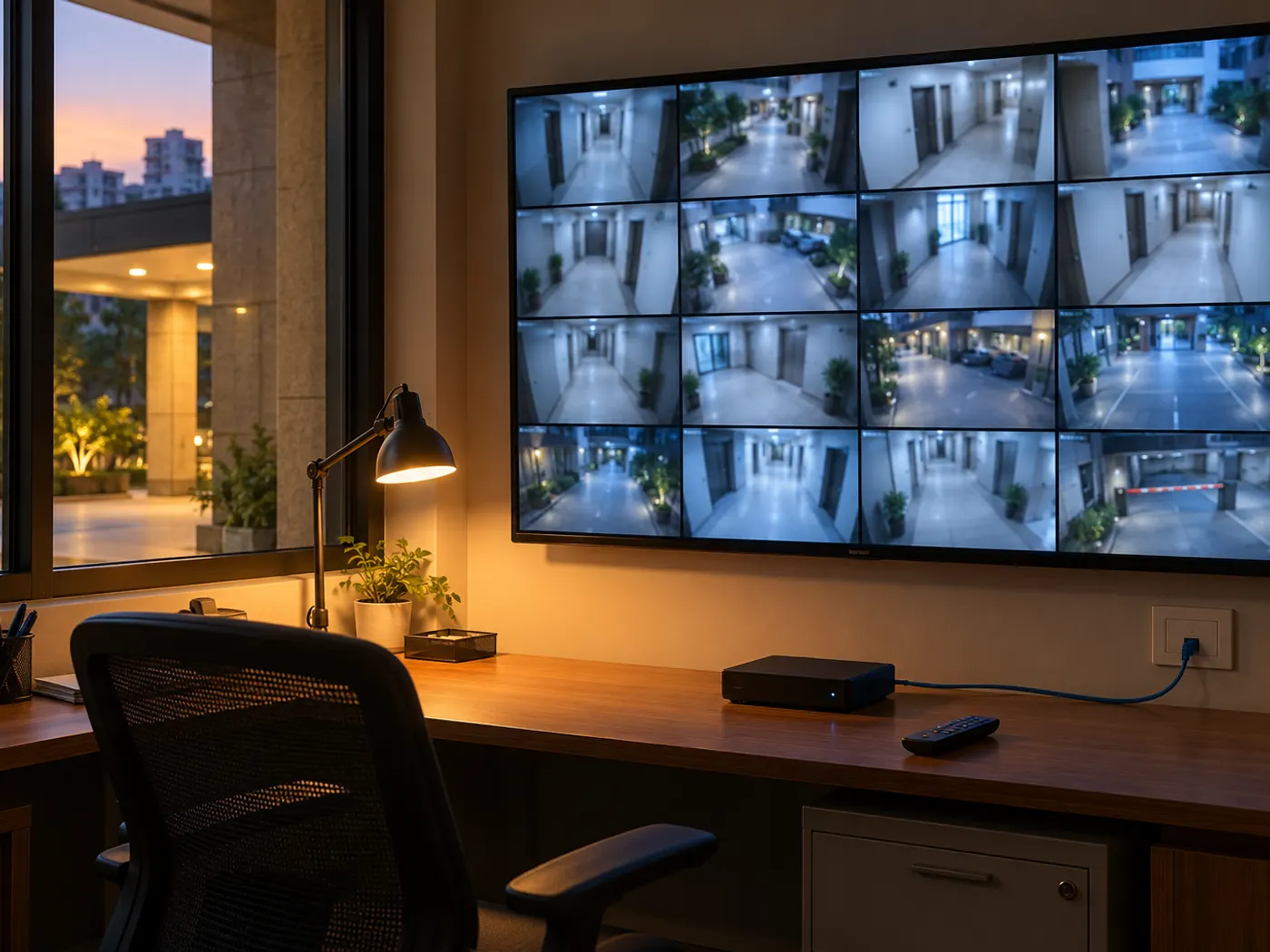
An app on the TV or TV box signs in to your recorder (an NVR or video management software) over the local network and shows the camera feeds that the recorder is already receiving. The cameras keep sending video only to the recorder, which records it, and the TV is simply another viewer.
So the TV adds no load to the cameras, and it can sit anywhere on the network: a reception TV, a guard room TV and an owner's cabin TV can all show the same cameras.
In DVM VigiCore, our on-premise NVR and video management software for Windows, this is the job of the free VigiCore TV app. It runs on Android TVs and TV boxes with Android 6.0 or newer, signs in to your VigiCore server and shows every camera that account is allowed to view. It is controlled with the TV remote:
- OK: opens the selected camera fullscreen in HD.
- Number keys: jump straight to cameras 1 to 10.
- CH+ and CH-: change pages when you have more cameras than one screen shows.
If you are still choosing a recorder, our NVR vs DVR vs VMS comparison explains the difference first.
Should the TV connect over Wi-Fi or a network cable?
Use a network cable wherever you can. A wall that runs all day needs a steady connection, and Wi-Fi quality changes with distance, walls, microwave ovens and the number of phones in the room.
Every live tile is a continuous stream from the recorder to the TV. When Wi-Fi drops packets, tiles freeze or smear. Many Android TV boxes have an Ethernet port, and a short patch cable to the nearest switch usually solves this for good.
- Wired Ethernet: the default for guard rooms, control rooms and any wall showing more than a handful of cameras.
- Wi-Fi: workable for one to four tiles when a 5 GHz access point is close by. Crowded 2.4 GHz is a last resort.
- Remote office: VigiCore TV plays over RTSP on the site network, or through the panel port from another office, with nothing extra to set up.
Test before you mount. Run the planned grid at the final spot for a full working day. Tiles that freeze at peak hours usually point to the network, not the cameras.
Main stream or sub-stream: which should a multi-tile grid use?
Use the sub-stream for small tiles and the main stream only when one camera fills the screen. Most IP cameras send two streams at once: a full-resolution main stream for recording and evidence, and a lighter sub-stream at lower resolution and bitrate for previews.
On a 16-tile grid, a full-resolution stream per tile wastes bandwidth and decoding power on detail nobody can see at that size. The sub-stream looks the same in a small tile.
- Check that each camera's sub-stream is switched on in the camera settings.
- Keep the main stream at full quality for recording. Do not lower it to make live view smoother.
- Set the sub-stream to a modest resolution and frame rate that still shows movement clearly.
- Use H.265 only if both the recorder and the viewing device handle it well. Some older TV boxes struggle with it.
VigiCore detects each camera's main and sub-stream automatically over ONVIF, and its browser live view lets operators switch any tile between HD and SD. On the TV, pressing OK opens a camera fullscreen in HD.
How many camera tiles can a TV box show at once?
Fewer than most people expect. The limit is usually the TV box's video decoder, not the screen size or the network.
Every live tile is a separate video that the box must decode in real time. Android TV boxes and smart TVs are built to decode one film or one match at a time, so their hardware decoders handle only a limited number of simultaneous streams. Push past that and the box heats up, drops frames or stops some tiles. Budget boxes, older Android versions and H.265 streams reach that point sooner. There is no fixed number that applies to every box, so test the exact model you plan to buy.
VigiCore TV is designed around this limit. Layouts of 1, 4, 9 or 16 tiles play every tile live. Larger layouts of 36, 64 and 128 tiles show still images refreshed every few seconds, with only the selected tile playing live. That keeps a big overview possible on modest hardware while the camera you care about stays in motion.
Fewer tiles a guard can actually read beat a crowded grid. With many cameras, two TVs of 16 tiles each plus paging often work better than one screen of tiny thumbnails.
What TV size and viewing distance suit a camera wall, and will it burn in?
Match the screen size to how far away the viewer sits and how many tiles you show. More tiles need a bigger screen or a closer viewer. Then plan for long hours, because a CCTV wall rarely switches off.
A guard at a desk close to the screen can read a 9 or 16 tile grid on a mid-size TV. A reception wall seen from across a lobby works better with fewer, larger tiles, such as a 4-tile layout. In a warehouse office in IMT Manesar or a showroom on Sohna Road, a quick test with a TV at the planned spot answers this better than any chart.
For always-on use, keep these points in mind:
- Burn-in: a CCTV grid has fixed borders and camera names that stay in the same place for hours. OLED panels are the most prone to permanent image retention from static content, so LED/LCD panels are the safer choice for a camera wall.
- Brightness: lower the backlight and switch off showroom or vivid picture modes. This reduces heat and wear on the panel.
- Screensavers and sleep: turn off the TV's screensaver, eco auto-off and no-signal sleep, or the wall will go dark when nobody touches the remote.
- Power cuts: VigiCore TV stays signed in and reopens the wall when the TV restarts. Set the TV to power on automatically after a cut, where its settings allow.
How do you keep a TV video wall secure?
Treat the TV as a viewing terminal with the fewest rights possible, on a network the public cannot reach. A reception TV is visible to visitors.
- Separate network: put cameras, the recorder and the TVs on their own VLAN or a physically separate switch, away from guest Wi-Fi and office laptops.
- One account per wall: VigiCore recommends a dedicated Viewer account for each TV, so you can limit which cameras it shows and remove it without affecting anyone else.
- View-only by design: the VigiCore TV app has no settings, PTZ control or recordings, so someone with the remote cannot change or play back footage. Its password is stored encrypted in the Android Keystore.
- No port forwarding: VigiCore runs on your LAN and needs no port forwarding or cloud relay for recording or viewing.
- Clean TV box: install only the apps you need, check the APK's SHA-256 checksum listed on the download page and keep the box's own software updated.
- Camera passwords: change every camera's default password during installation.
On the server, VigiCore has four roles over a permission matrix you edit yourself, plus an audit log.
TV app vs HDMI from the NVR vs a PC monitor wall: which fits your site?
A TV app suits viewing screens away from the recorder. An HDMI cable from the NVR suits one screen next to it. A PC monitor wall suits a control room where operators also search and export footage.
| Point | Android TV app | HDMI from the NVR | PC monitor wall |
|---|---|---|---|
| Hardware needed | Smart TV or TV box plus a network point | A screen and an HDMI cable to the recorder | A PC, one or more monitors and a browser or client |
| Where the screen can be | Anywhere on the network, or another office | Close to the recorder, or long runs with HDMI extenders | Wherever the PC sits |
| Number of screens | Add more TVs without adding camera connections | Limited by the recorder's video outputs | Limited by the PC's graphics outputs |
| What the viewer can do | Watch and page through cameras (view-only in VigiCore TV) | Often the full recorder menu, unless locked | Full operator tools: playback, search, export |
| Recovery after power cut | VigiCore TV reopens the wall on restart | Depends on the recorder | PC must boot and reopen the view |
| Typical fit | Reception, guard room, manager's cabin, school office | Small shop with the recorder under the counter | Warehouse or campus control room |
Many sites mix them: a PC in the control room for investigations and one or two TVs elsewhere for watching. Our office CCTV installation guide covers camera placement for the same kind of site.
How DVM Techno Can Help
DVM Techno is a software company based in Sector 84, Gurgaon. DVM VigiCore records ONVIF IP cameras on your own Windows machine and keeps footage inside your building, and the VigiCore TV app turns an Android TV into a view-only wall. The Windows software is free with up to 4 cameras, and the TV app is a free download. Around Kasni and Jhajjar, our CCTV installation team can also fit the cameras and set up the recorder and TVs. Call +91-8448523313 for a walkthrough.
Frequently Asked Questions
Can I view my CCTV cameras on a normal smart TV?
Yes, if the TV runs Android TV or you add an Android TV box. A viewing app signs in to your recorder over the network and plays the camera streams. VigiCore TV works this way with a VigiCore server, on Android 6.0 or newer, and installs from a USB stick, the Downloader app or adb. Older non-Android TVs can still use an HDMI cable from the recorder.
How many cameras can I watch live on one Android TV?
It depends on the TV box's video decoder, the camera resolution and whether tiles use the sub-stream. Most boxes handle a modest number of live tiles comfortably. VigiCore TV plays layouts of 1, 4, 9 or 16 cameras fully live, and larger layouts of 36, 64 and 128 tiles show stills refreshed every few seconds with the selected camera live.
Does adding more TVs slow down the cameras?
Not with a recorder-based setup. The cameras stream only to the recorder, and each TV pulls its view from the recorder, so the cameras never see extra connections. With VigiCore, adding TVs never adds connections to a camera. The load moves to the server and the network instead, so wired links and sub-streams for grids still matter on larger walls.
Will a TV showing CCTV all day get burn-in?
It can, especially an OLED TV, because camera grids have borders and labels that stay in one place for hours. LED/LCD TVs are less prone to permanent image retention and are the safer choice. Lower the brightness, switch off vivid picture modes and avoid sealing the TV box behind the screen without airflow. Switch the wall off when nobody needs it.
Can someone change settings or delete footage from the TV?
Not with VigiCore TV. The app is view-only by design and has no settings, PTZ control or recordings on the TV. Each wall should sign in with its own dedicated Viewer account, so you can limit which cameras it shows and remove access at any time. Recordings and settings stay on the VigiCore server, which is managed from a browser.
Related articles
Turn a spare TV into a live camera wall
Download VigiCore and the free VigiCore TV app, or ask us for a walkthrough sized to your cameras and screens.