
30 Mbps
Basic
₹400 / month · incl. GST
- Unlimited data
- No FUP
- Free installation, over the air
- Local support from Kasni
- For one or two users
Nilaheri · Salhawas · Jhajjar, Haryana
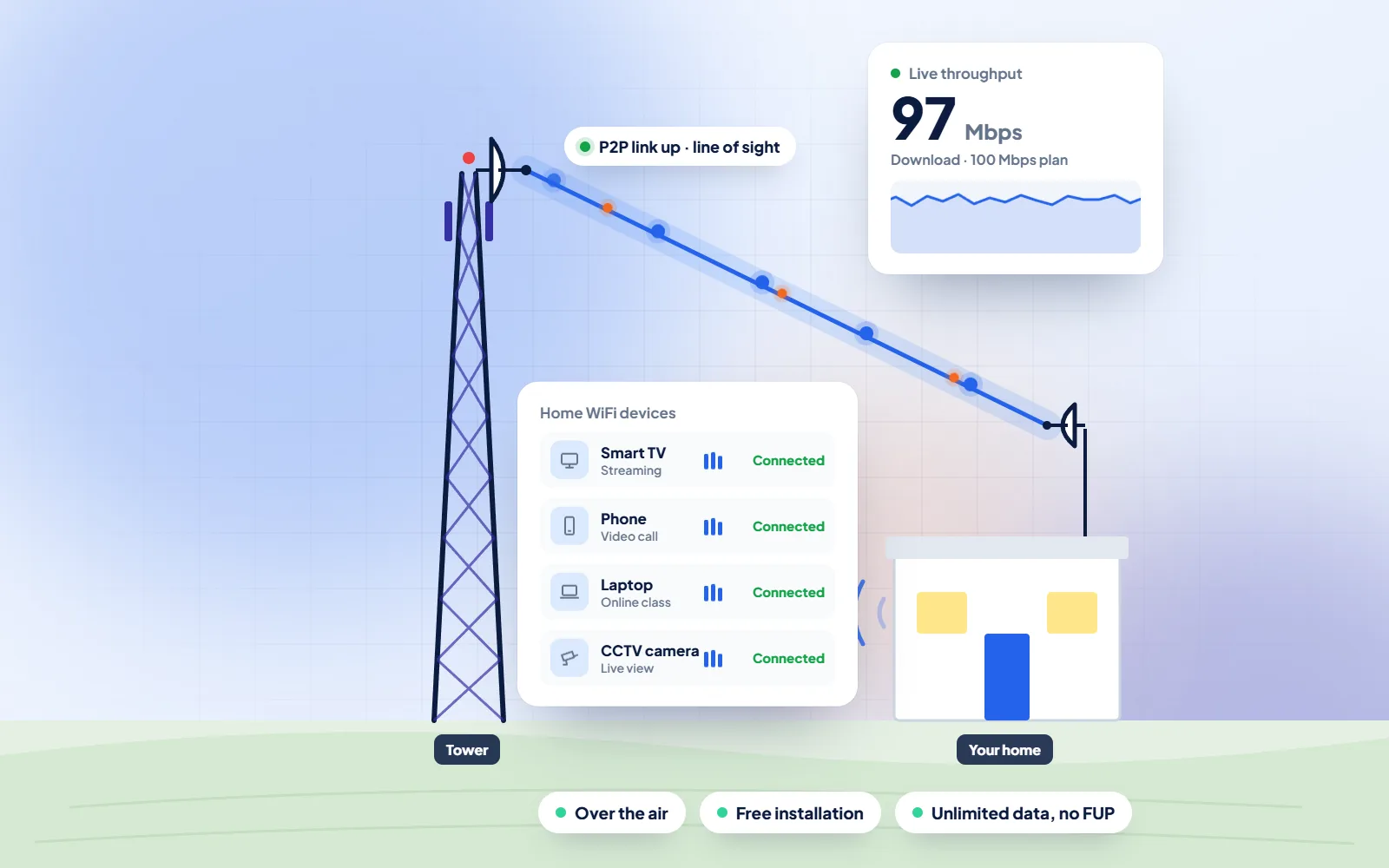
WiFi broadband in Nilaheri, Jhajjar is provided by DVM Techno from its branch office in Kasni, over the air to a small antenna on your roof. If someone in your house is preparing for an HSSC post or the Haryana CET, that means online forms filled on a proper screen and full-length mock tests taken at a desk, on a connection with unlimited data.
Quick answer
DVM Techno provides wireless broadband internet in Nilaheri, Jhajjar district, from its branch office in Kasni (Salhawas tehsil). The connection reaches your home over the air, so no cable has to be laid to your house. There are four plans — Basic 30 Mbps at ₹400 a month and Starter 50 Mbps at ₹600 a month (GST included), plus Standard 100 Mbps and Premium 200 Mbps — all with unlimited data and no FUP or speed throttling. Installation is free. Call or WhatsApp +91-8448523313 to check coverage at your address and for 100 and 200 Mbps prices.
| Plan | Speed | Price (incl. GST) | Good for |
|---|---|---|---|
| Basic | 30 Mbps | ₹400/month | One or two users: online classes, UPI and net banking, WhatsApp and video on one device |
| Starter | 50 Mbps | ₹600/month | Online classes and coaching apps, UPI and net banking, WhatsApp Business, HD video on one or two devices |
| Standard | 100 Mbps | Call or WhatsApp | Families with several phones and a smart TV, work-from-home video calls |
| Premium | 200 Mbps | Call or WhatsApp | Shops and offices, 4K streaming, remote CCTV viewing, many devices at once |
All plans have unlimited data with no FUP, and installation is free. Prices include GST; call or WhatsApp for the 100 and 200 Mbps rates.
Nilaheri
Nilaheri is a village in Salhawas tehsil of Jhajjar district. Wikipedia, using the 2011 Census, records 2,508 people in 541 households and an average literacy rate of 70.01%, and notes a government senior secondary school and a primary school in the village. Among its neighbours it lists Mundahera, Bithla, Dhakla, Salhawas, Birar and Niwada, all villages our Kasni branch also connects.
For many young people here the next step after school is a state government job, and that road runs through the Haryana Staff Selection Commission. Its website, hssc.gov.in, carries Apply Online and Advertisements sections, the Syllabus, Public Notices such as answer keys, Results and Instructions to Applicants; at the time of writing its front page also links the application for the CET Group D. Every stage, from reading the advertisement to downloading the result, is online, and it is far easier to read a long notice and upload scanned documents on a laptop than on a phone screen with a weak signal.
Mock tests are the other half of preparation. Many recruitment exams are now held on computers, so practising under the same conditions pays off: a full-length paper, a running clock, a mouse instead of a thumb, and no notification popping up halfway through. That works most smoothly on a stable home connection, with the router close to the study table and on the inverter, so a power cut does not end the attempt. Unlimited data also means you can review every solution video afterwards instead of saving them for the day the pack renews.
Sources: Wikipedia — Nilaheri · Haryana Staff Selection Commission
An exam-day checklist for Nilaheri aspirants
WiFi Broadband
A steady home connection in Nilaheri for applications, practice papers and results.
Process
The same clear steps for every Nilaheri project, with progress shared on WhatsApp.
Broadband Plans
Every plan includes unlimited data with no FUP, free installation over the air and local support. Prices include GST; call or WhatsApp for 100 and 200 Mbps rates.
30 Mbps
₹400 / month · incl. GST
50 Mbps
₹600 / month · incl. GST
100 Mbps
Call or WhatsApp
200 Mbps
Call or WhatsApp
FAQs
Straight answers to what Nilaheri families and shopkeepers ask before they start.
DVM Techno provides wireless broadband in Nilaheri from its Kasni branch office. A small antenna on the roof receives the signal over the air and a router gives you WiFi indoors. Book a free signal check on +91-8448523313 by call or WhatsApp, Monday to Saturday, 9 AM to 7 PM.
The 30 Mbps Basic plan is 400 rupees a month and the 50 Mbps Starter plan is 600 rupees a month, including GST. Prices for the 100 Mbps Standard and 200 Mbps Premium plans are given on request by phone or WhatsApp. There is no charge for installing the antenna and router.
No FUP on any plan. Data is unlimited, so mock tests, recorded lectures and solution videos all month long do not slow your connection down.
Around 2 to 3 hours, once a signal survey at your roof has confirmed coverage. In most of the villages served from Kasni, the connection goes live on the day of installation.
No. The signal reaches your roof over the air, so there is no landline to rent and no cable to lay. You only need a socket for the router, preferably on the inverter.
On the commission's own website, hssc.gov.in, under Apply Online and Advertisements. Read the instructions to applicants for the post you want, and do not apply through links shared in group chats or on look-alike sites.
Yes. Mock tests themselves use little data; what matters is a connection that stays up for the full paper. Sit near the router or use a LAN cable, keep the router on the inverter, and turn off other downloads in the house during the test.
One student taking mock tests and watching lectures is well served by Basic 30 Mbps. If brothers, sisters or parents are also streaming or in classes at the same time, Starter 50 Mbps or Standard 100 Mbps keeps the test from slowing down.

Call or WhatsApp +91-8448523313 · Mon–Sat, 9 AM – 7 PM · info@dvmtechno.com