
On this page
- How can you get a WiFi connection in a village?
- Which internet options work in a village, and how do they compare?
- How do you check internet coverage at your house?
- What should you ask any provider before taking a connection?
- What decides the cost of internet in a village?
- What is BharatNet, and does it help your village?
- WiFi near Kasni, Jhajjar
- FAQs
Key takeaways
- A village home in India usually has four ways to get online: local wireless broadband, fibre where a line reaches, 4G/5G fixed-wireless or a mobile hotspot, and satellite internet where it is offered.
- The option that works at your house depends on what reaches your address: a clear line of sight to a wireless tower, a fibre line in your lane, or a strong mobile signal on the roof.
- Before paying, ask about speed, data limits (FUP), installation, where support is based, any lock-in and who owns the router.
- Around Kasni in Jhajjar district, DVM Techno runs wireless broadband in 37 villages with 30, 50, 100 and 200 Mbps unlimited plans.
How can you get a WiFi connection in a village?
A village home in India can usually get internet in one of four ways: local wireless broadband from a licensed provider in your area, fibre broadband where a fibre line reaches your lane, 4G/5G fixed-wireless or a mobile hotspot, or satellite internet where it is offered. To find which works at your address, ask neighbours and get a signal test at your house.
The WiFi in your home is only the last step. A router spreads the internet around the house, but the connection still has to reach the router from outside, by cable, over the air or from the sky. Most of the choice in a village comes down to which of these reaches your house well. This guide answers generically, whichever company serves your area, and ends with what is available around Kasni in Jhajjar district.
Which internet options work in a village, and how do they compare?
Each option reaches your house differently, so each has its own strengths and limits. Use this table to shortlist, then confirm with a test at your address.
| Option | How it reaches you | Good for | Limits |
|---|---|---|---|
| Local wireless broadband | Over the air from the provider’s tower to a small antenna on your roof, then to a WiFi router inside | Homes, students and shops in villages that fibre has not reached; no cable or digging to your house | Needs a clear line of sight to the provider’s tower; available only in the area that provider covers |
| Fibre broadband (FTTH) | A fibre cable laid to your house, ending in a small box and a router | Steady speeds and many devices, where a line already runs past your lane | Only where the fibre line reaches; a cut in the line can take time to repair |
| 4G/5G fixed-wireless or SIM router | A router or outdoor unit with a SIM card, placed where the mobile signal is strongest | Quick setup where the mobile signal is strong at your house | Speed depends on the nearest mobile tower and how busy it is; plans may have data limits |
| Mobile hotspot | Your phone shares its mobile data over WiFi | Light use on one or two devices, or as a stop-gap | Data caps, battery drain, and the phone has to stay at home |
| Satellite internet | A dish on the roof that talks to a satellite | Remote places with no other option, where a licensed service is offered | Needs an open view of the sky; heavy rain can weaken the signal; check availability and terms |
Which is right for your home? If fibre already passes your house, it is worth asking about first. If it does not, local wireless broadband is often the practical choice for a family that streams, studies and works online, as long as the signal test passes. A 4G/5G router suits light use where the mobile signal is strong, and satellite is the fallback where nothing else reaches.
How do you check internet coverage at your house?
Coverage is decided house by house, not village by village, so test at your own roof before you pay. Two homes in the same village can get different results because of trees, water tanks or a taller building in the way.
- Look for line of sight: for wireless broadband, stand on your roof and look towards the provider’s tower. Tall trees, a water tank or a taller house in between can block the signal.
- Ask neighbours: ask which connection they use, how it runs in the evening when everyone is online, how often it drops and how quickly problems were fixed.
- Check your mobile signal on the roof: if you are considering 4G/5G, run a speed test on your phone on the roof and inside the house, at different times of day.
- Ask about fibre in your lane: ask the provider, or neighbours who already have it, whether a fibre line runs close to your house.
- Book a site survey: a good provider will check the signal at your house before installing, and confirm the plan only after the test.
Run speed tests in the evening as well as the morning. A connection that is fast at 10 AM but slow at 9 PM will disappoint a family that studies and streams at night.
What should you ask any provider before taking a connection?
Ask the same questions of every provider so you can compare them fairly. Get the answers in writing or on WhatsApp.
- Speed: what download and upload speed does the plan give, and is it the same in the evening?
- Data and FUP: is the data unlimited, or does the speed drop after a fair usage limit?
- Installation: is installation charged, what equipment is fitted, and how soon can it be done?
- Support location: where is the support team based, and can a technician visit your village if something stops working?
- Contract: is there a lock-in period, and what happens if you want to stop?
- Router: is the router included, who owns it, and who replaces it if it fails?
- Billing: will you get a proper bill? A business that wants to claim tax credit should read our guide to GST on WiFi and broadband bills.
What decides the cost of internet in a village?
The monthly bill mainly depends on the speed you choose, the technology and the equipment needed to reach your house. Prices change often, so compare current plans from providers who actually cover your address.
- Speed tier: higher speeds usually cost more each month.
- Technology: wireless, fibre, mobile and satellite each have different equipment and running costs.
- Equipment: an antenna, pole, outdoor unit, dish or router, and whether it is included or bought separately.
- Installation: whether it is free or charged, and how long the cable run is from the roof to the router.
- Billing period: some providers offer different terms for longer prepaid periods.
- Taxes: GST is added to internet bills.
What is BharatNet, and does it help your village?
BharatNet is the Government of India’s project to bring broadband connectivity to gram panchayats and, on demand, to villages beyond them. A PIB release of 2 April 2025 says the project “is being implemented in a phased manner to provide broadband connectivity to all Gram Panchayats (GPs) and villages beyond GPs on demand basis across the country.”
The same release says the amended BharatNet program, approved by the Union Cabinet on 4 August 2023, includes upgrading the existing network in a ring architecture and a focus on using the network through BharatNet Udyamis, and it refers to FTTH (fibre-to-the-home) connections provided under BharatNet. Whether a BharatNet-based home connection is offered in your own village depends on local rollout, so ask locally rather than assume.
WiFi near Kasni, Jhajjar
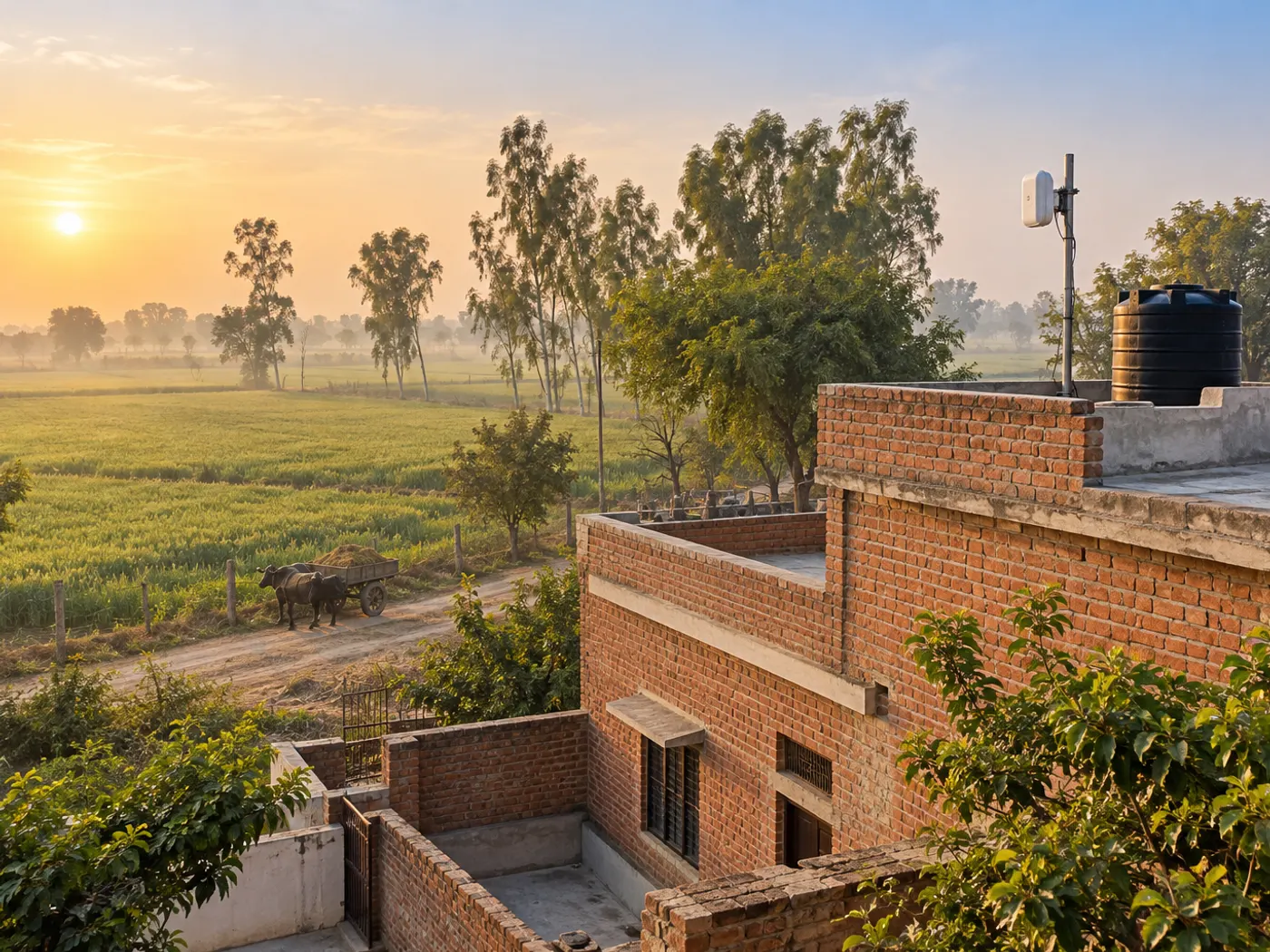
If you live around Kasni in Jhajjar district, DVM Techno provides wireless broadband in 37 villages around Kasni across Salhawas block and Jhajjar tehsil, from its branch office in Kasni. The connection reaches your home over the air to a small antenna, so no cable has to be laid to your house and there is no digging.
- Plans: Starter 50 Mbps, Standard 100 Mbps and Premium 200 Mbps.
- Data: unlimited on every plan, with no FUP or speed throttling.
- Installation: the antenna and router are installed free, usually in 2 to 3 hours, after a signal check at your home; in most villages the internet starts the same day.
- Support: a local team near Kasni on phone and WhatsApp, who can visit your home if something needs fixing.
- Villages: including Salhawas, Dhania and Samaspur Majra; the full list is on the Kasni broadband page.
Call or WhatsApp +91-8448523313 with your village name, Monday to Saturday, 9 AM to 7 PM, to check coverage at your address and get current prices.
Frequently Asked Questions
How can I get WiFi in my village?
Find out which connections reach your house: local wireless broadband from a provider in your area, fibre if a line runs past your lane, 4G/5G fixed-wireless if the mobile signal is strong, or satellite where offered. Ask neighbours what they use, then book a signal test at your house. Once the connection is installed, a WiFi router spreads it across your home.
Which is better for a village home: wireless broadband or a 4G/5G hotspot?
For a family that streams, studies and works online every day, a fixed connection such as wireless broadband or fibre is usually the better fit, because plans can be unlimited and it does not depend on a phone staying at home. A 4G/5G hotspot suits light use or a stop-gap. Check data limits and test the speed at your house in the evening.
Can I get broadband in a rural area without a phone line or cable?
Yes. Wireless broadband reaches your home over the air to a small antenna on the roof, so no phone line or cable has to be laid to your house. 4G/5G routers and satellite internet also work without a line. What matters is whether the signal at your address is strong enough, which a site survey or speed test will show.
What is wireless broadband and how does it work in a village?
Wireless broadband sends internet over the air from a provider’s tower to a small antenna fixed on your roof. A cable runs from the antenna to a WiFi router inside, which connects your phones, TV and laptop. It needs a clear line of sight to the tower, so trees, water tanks or taller buildings in the way can affect it.
How do I check if broadband is available at my house?
Ask providers in your area whether they cover your village, then ask neighbours how their connection runs in the evening. For wireless broadband, request a site survey so the provider can test the signal on your roof. For 4G/5G, run speed tests on your phone on the roof and indoors at different times. Confirm the plan only after the test.
Does BharatNet give WiFi connections to village homes?
BharatNet is the Government of India’s project to provide broadband connectivity to all gram panchayats and to villages beyond them on demand. A PIB release of April 2025 refers to FTTH connections provided under BharatNet and to the network being used through BharatNet Udyamis. Whether a home connection is offered in your village depends on local rollout, so ask locally.
Who provides WiFi service in Jhajjar near Kasni?
DVM Techno provides wireless broadband in 37 villages around Kasni across Salhawas block and Jhajjar tehsil. Plans are 30, 50, 100 and 200 Mbps with unlimited data and no FUP. Installation of the antenna and router is free and in most villages the internet starts the same day. Call or WhatsApp +91-8448523313 to check coverage at your address and current prices.
Related articles
Live in a village near Kasni?
Unlimited wireless broadband with no FUP in 37 villages around Kasni: 30, 50, 100 and 200 Mbps plans, free installation, often the same day. Call or WhatsApp +91-8448523313 for coverage and current prices.