
30 Mbps
Basic
₹400 / month · incl. GST
- Unlimited data
- No FUP
- Free installation, over the air
- Local support from Kasni
- For one or two users
Dhani Salhawas · Salhawas · Jhajjar, Haryana
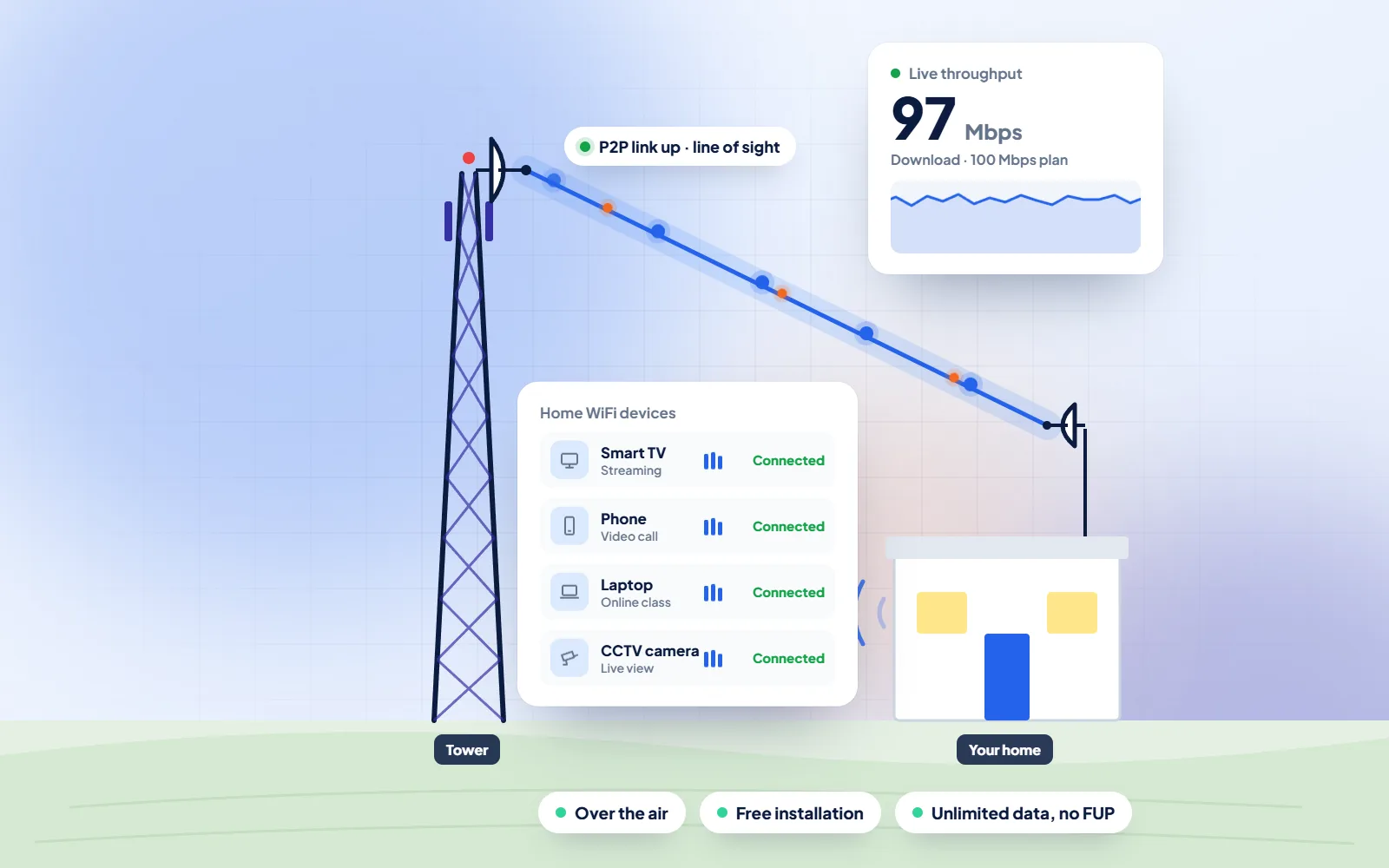
DVM Techno provides WiFi broadband in Dhani Salhawas, Jhajjar, from its branch office in Kasni, over the air to a small antenna on your roof. Plans start at 400 rupees a month with unlimited data, and a steady home line makes the paperwork side of life easier: SARAL Haryana applications, Family ID corrections and DigiLocker documents, done at home instead of at a counter.
Quick answer
DVM Techno provides wireless broadband internet in Dhani Salhawas, Jhajjar district, from its branch office in Kasni (Salhawas tehsil). The connection reaches your home over the air, so no cable has to be laid to your house. There are four plans — Basic 30 Mbps at ₹400 a month and Starter 50 Mbps at ₹600 a month (GST included), plus Standard 100 Mbps and Premium 200 Mbps — all with unlimited data and no FUP or speed throttling. Installation is free. Call or WhatsApp +91-8448523313 to check coverage at your address and for 100 and 200 Mbps prices.
| Plan | Speed | Price (incl. GST) | Good for |
|---|---|---|---|
| Basic | 30 Mbps | ₹400/month | One or two users: online classes, UPI and net banking, WhatsApp and video on one device |
| Starter | 50 Mbps | ₹600/month | Online classes and coaching apps, UPI and net banking, WhatsApp Business, HD video on one or two devices |
| Standard | 100 Mbps | Call or WhatsApp | Families with several phones and a smart TV, work-from-home video calls |
| Premium | 200 Mbps | Call or WhatsApp | Shops and offices, 4K streaming, remote CCTV viewing, many devices at once |
All plans have unlimited data with no FUP, and installation is free. Prices include GST; call or WhatsApp for the 100 and 200 Mbps rates.
Dhani Salhawas
Dhani Salhawas is a small village in Salhawas block of Jhajjar district, and it has no Wikipedia article of its own, so this page quotes no population figures for it. What we can offer is practical. Many errands that once meant a trip to a tehsil office or a cyber cafe now start on a Haryana government website, and nearly all of them end the same way: an OTP to your mobile, a photo of a document to upload and a reference number to note down. On a weak mobile signal, that last stretch is where forms time out and have to be filled again.
Three portals cover most of it. Antyodaya SARAL (saralharyana.gov.in) calls itself a single service delivery platform for the state's schemes and services. You register with a mobile number, apply for certificates such as Haryana Resident, Backward Class, Scheduled Caste or EWS, track the application, download an issued certificate and book a slot at a SARAL Kendra if you still need to go in person. SARAL is integrated with Parivar Pehchan Patra, the Family ID, so your details are filled in from the family record. That record lives on the Mera Parivar portal (meraparivar.haryana.gov.in), run under the Haryana Parivar Pehchan Act, 2021: each family has an eight-digit Family ID, and a correction module lets you fix details yourself with an OTP sent to the head of the family's mobile.
The third is DigiLocker, run by the Ministry of Electronics and IT under Digital India. You sign up with Aadhaar and an OTP on the linked mobile, then pull issued documents such as a driving licence or vehicle registration straight from the department that issued them. Wikipedia notes that a 2017 rule change puts documents shared this way at par with the physical certificates, and each account also gets 1 GB for your own scans. A home WiFi connection does not change any of these rules. It simply means the upload goes through on the first try, and a laptop or printer in the house can share the same connection.
Sources: Antyodaya SARAL Haryana · Mera Parivar (Parivar Pehchan Patra) · DigiLocker · Wikipedia — DigiLocker
Keep these ready before you open a form
WiFi Broadband
What a steady connection changes for households in Dhani Salhawas that deal with government portals, documents and everyday paperwork.
Process
The same clear steps for every Dhani Salhawas project, with progress shared on WhatsApp.
Broadband Plans
Every plan includes unlimited data with no FUP, free installation over the air and local support. Prices include GST; call or WhatsApp for 100 and 200 Mbps rates.
30 Mbps
₹400 / month · incl. GST
50 Mbps
₹600 / month · incl. GST
100 Mbps
Call or WhatsApp
200 Mbps
Call or WhatsApp
FAQs
Straight answers to what Dhani Salhawas families and shopkeepers ask before they start.
DVM Techno does, from its branch office in Kasni. The connection is wireless broadband: a small antenna on your roof picks up the signal and a WiFi router inside spreads it through the house. There is no cable to lay and no digging. Call or WhatsApp +91-8448523313 to book the free signal survey.
The Basic 30 Mbps plan is 400 rupees a month and the Starter 50 Mbps plan is 600 rupees a month, both including GST. For the Standard 100 Mbps and Premium 200 Mbps plans, call or WhatsApp for the current price. Installation of the antenna and router is free.
No. Every plan has unlimited data with no fair usage policy, so the speed of your plan does not drop after you have used a certain amount of data in the month.
Fitting the antenna and router takes 2 to 3 hours. After the free signal survey, most homes in the villages around Kasni are online the same day.
No. The broadband reaches your house over the air, so you do not need a landline, a fibre cable or any digging in the lane. You need a roof or wall where the antenna can pick up the signal and a power point for the router.
Yes, for the services listed on saralharyana.gov.in. Register with your mobile number, apply for a certificate such as Haryana Resident or a caste or EWS certificate, upload the documents it asks for, and track the application with its reference number. Issued certificates can be downloaded from the same portal.
Use the Mera Parivar portal, meraparivar.haryana.gov.in. The correction module asks for your Family ID and sends an OTP to the head of the family's mobile number. If you would rather have help, a CSC, a SARAL Kendra or a PPP operator can make the update for you.
Documents issued into DigiLocker by the department concerned are treated as at par with the physical certificates under a 2017 amendment to the IT rules, according to Wikipedia's DigiLocker article. A scan you upload yourself is only a copy. If you are unsure, check with the office you are dealing with.

Call or WhatsApp +91-8448523313 · Mon–Sat, 9 AM – 7 PM · info@dvmtechno.com