
30 Mbps
Basic
₹400 / month · incl. GST
- Unlimited data
- No FUP
- Free installation, over the air
- Local support from Kasni
- For one or two users
Surehti · Jhajjar, Haryana
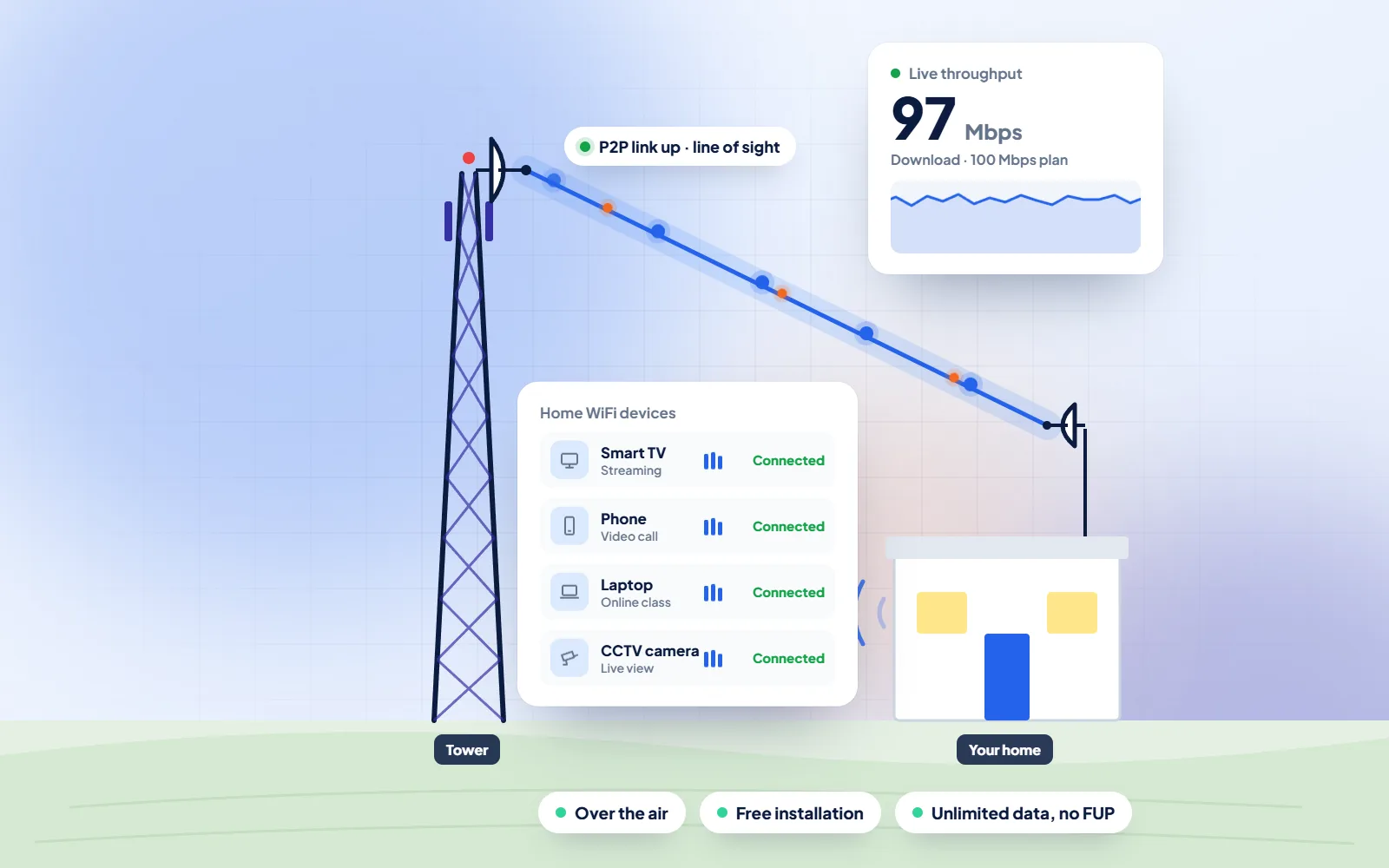
DVM Techno is the WiFi broadband provider for Surehti, working from its branch office in Kasni with a wireless link to an antenna on your roof. If nobody at home has used WiFi before, that is fine: this page walks through joining a phone, connecting the TV and keeping the WiFi password safe, the things families in Surehti ask about most on day one.
Quick answer
DVM Techno provides wireless broadband internet in Surehti, Jhajjar district, from its branch office in Kasni (Salhawas tehsil). The connection reaches your home over the air, so no cable has to be laid to your house. There are four plans — Basic 30 Mbps at ₹400 a month and Starter 50 Mbps at ₹600 a month (GST included), plus Standard 100 Mbps and Premium 200 Mbps — all with unlimited data and no FUP or speed throttling. Installation is free. Call or WhatsApp +91-8448523313 to check coverage at your address and for 100 and 200 Mbps prices.
| Plan | Speed | Price (incl. GST) | Good for |
|---|---|---|---|
| Basic | 30 Mbps | ₹400/month | One or two users: online classes, UPI and net banking, WhatsApp and video on one device |
| Starter | 50 Mbps | ₹600/month | Online classes and coaching apps, UPI and net banking, WhatsApp Business, HD video on one or two devices |
| Standard | 100 Mbps | Call or WhatsApp | Families with several phones and a smart TV, work-from-home video calls |
| Premium | 200 Mbps | Call or WhatsApp | Shops and offices, 4K streaming, remote CCTV viewing, many devices at once |
All plans have unlimited data with no FUP, and installation is free. Prices include GST; call or WhatsApp for the 100 and 200 Mbps rates.
Surehti
Surehti lies in the part of Jhajjar district around the Khaparwas and Bhindawas sanctuaries. Wikipedia names Surehti among the villages adjacent to Khaparwas Wildlife Sanctuary, a reserve of 82.70 hectares that the Haryana Forests Department declared a sanctuary on 30 January 1987, and the article on Bhindawas village lists Surehti among its neighbours too. Like many villages in this belt, Surehti has plenty of homes where WiFi will be something new, used until now only through a son's or daughter's mobile hotspot.
Joining WiFi takes less than a minute once you have done it once. Open Settings on the phone, tap WiFi, switch it on, choose your network's name from the list and type the password exactly, with capitals where they are. The phone remembers it after that. A smart TV works the same way from its own Settings menu, using the remote to type. Write the network name and password on a card and keep it somewhere private, so a new phone or a visiting grandchild can be connected without calling anyone.
The password is what keeps the connection yours. Wikipedia explains that WPA2 and WPA3 are the security programmes from the Wi-Fi Alliance that protect wireless networks, with WPA3 announced in January 2018. In practice, choose a password of at least ten characters that mixes words and numbers, not a phone number or a family name. Share it only with the household, change it if it has spread around the lane, and never read out an OTP or a bank detail to someone who calls claiming to be from the internet company.
Sources: Wikipedia — Khaparwas Wildlife Sanctuary · Wikipedia — Bhindawas · Wikipedia — Wi-Fi Protected Access
Your first day on WiFi in Surehti
WiFi Broadband
A home connection in Surehti set up for people who have never had WiFi before.
Process
The same clear steps for every Surehti project, with progress shared on WhatsApp.
Broadband Plans
Every plan includes unlimited data with no FUP, free installation over the air and local support. Prices include GST; call or WhatsApp for 100 and 200 Mbps rates.
30 Mbps
₹400 / month · incl. GST
50 Mbps
₹600 / month · incl. GST
100 Mbps
Call or WhatsApp
200 Mbps
Call or WhatsApp
FAQs
Straight answers to what Surehti families and shopkeepers ask before they start.
DVM Techno, from its branch office in Kasni, which serves 37 villages around it including Surehti. The broadband reaches an antenna on your roof over the air, and a router inside the house gives WiFi to your phones and TV. Call or WhatsApp +91-8448523313, Monday to Saturday, 9 AM to 7 PM.
Basic 30 Mbps is 400 rupees a month and Starter 50 Mbps is 600 rupees a month, both with GST included. Call or WhatsApp for the current price of Standard 100 Mbps and Premium 200 Mbps. Installation is free.
No. Every plan has unlimited data and no FUP. Nothing runs out during the month and the speed is not cut after heavy use.
About 2 to 3 hours once the free survey has checked the signal at your house. In most villages served from Kasni, WiFi works the same day.
No. You do not need a landline, a cable from a pole or any digging. The signal comes over the air to the antenna, and the router plugs into a normal socket.
Open Settings, tap WiFi, switch it on, pick your network's name and type the password exactly as written, including capital letters. Tap Connect. The phone remembers the network and joins automatically next time you are at home.
The password is changed from the router's settings page, which opens in a phone browser or the router maker's app. If you are not comfortable doing it, call the Kasni team and they will guide you step by step. After changing it, rejoin each phone and the TV with the new password.
It is better not to. Everyone on the network shares your speed, and anything done on it is traced to your connection. Keep the password within the household, and if you think it has spread, change it.

Call or WhatsApp +91-8448523313 · Mon–Sat, 9 AM – 7 PM · info@dvmtechno.com