
On this page
- Can you watch your home and farm cameras on your phone in Jatwara?
- How much upload speed does a CCTV camera need?
- Can cameras cover the cattle shed and the tube-well?
- What happens to cameras and WiFi during a power cut?
- How do you keep remote camera viewing private?
- How to get connected in Jatwara
- Plans and prices in Jatwara
- FAQs
Key takeaways
- WiFi broadband is available in Jatwara from DVM Techno’s Kasni branch, over the air with no cable or digging, from 400 rupees a month.
- Watching cameras remotely uses the upload side of the home line; resolution, compression and how many cameras you open at once decide how much.
- A cattle shed near the house is easy to wire to the recorder; a tube-well far in the fields needs its own power and a way for the signal to reach it.
- Put the recorder, cameras, router and antenna adapter on an inverter or UPS, or the cameras stop exactly when the power goes.
Can you watch your home and farm cameras on your phone in Jatwara?
Yes. WiFi broadband is available in Jatwara from DVM Techno’s Kasni branch, delivered over the air to a small antenna on your roof with no cable or digging, and plans start at 400 rupees a month. With the camera recorder on that line, you can watch your cameras on your phone from the fields, from town or from another city. See the Jatwara broadband page for coverage.
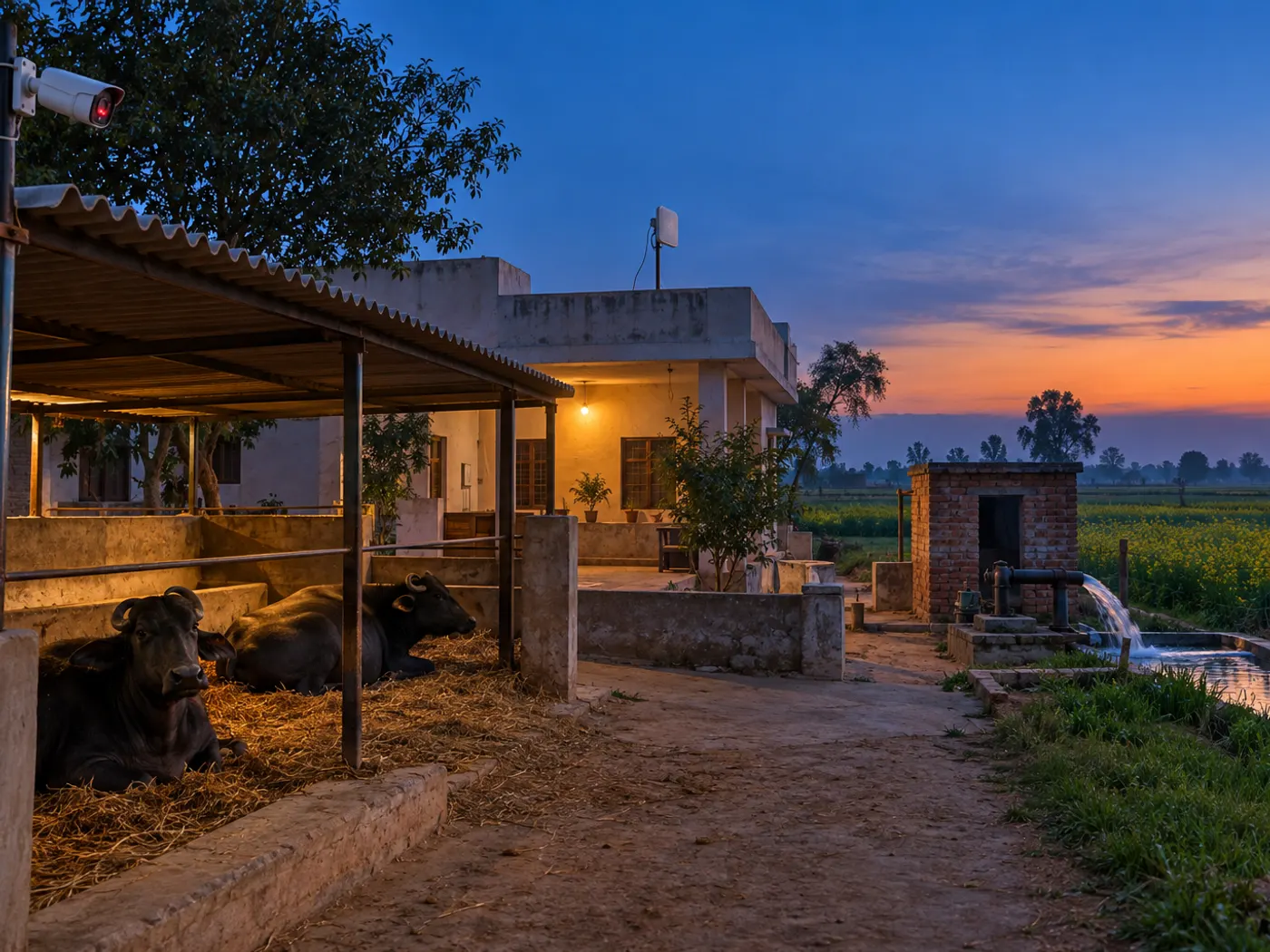
A village family often keeps watch over more than the house: a tractor in the courtyard, buffaloes in the shed, a motor at the tube-well and a store of grain or fodder. Cameras help only if you can see them when you are away, and that depends on the internet at the camera end. A phone hotspot left at home is a weak substitute, because data packs run out and the phone is needed elsewhere. This post covers what a fixed line has to do for cameras; for the general choice of internet in a village, see our guide to WiFi connection in a village.
How much upload speed does a CCTV camera need?
Watching cameras remotely uses the upload side of your home connection, and how much depends on the camera’s resolution, its compression and how many cameras you open at once.
Download is what comes into your house; upload is what leaves it. When you open the camera app on your phone, the recorder at home sends video out, so the home line’s upload decides how smooth the picture is. Most recorders keep two streams per camera: a high-quality main stream that is recorded, and a lighter sub-stream for phone viewing. Phone apps usually show the sub-stream in a grid and switch to the main stream only when you open one camera full screen.
| What you change | Uses more upload | Uses less upload |
|---|---|---|
| Picture quality | Main stream at full HD or higher | Sub-stream or standard quality |
| Compression | H.264 | H.265, which carries a similar picture in less data |
| Cameras open at once | Several cameras in full quality | One camera, or a grid on the sub-stream |
| Scene | Busy scenes: swaying trees, moving animals, grainy night video | Still scenes, such as an empty yard by day |
| Playback | Downloading long clips to your phone | Watching a short clip inside the app |
Before choosing a plan, ask what upload speed comes with it, not just the download figure, and test live view from outside the house once the line is in. Our guide on how to connect a CCTV camera to your mobile walks through the app setup step by step.
Can cameras cover the cattle shed and the tube-well?
A cattle shed next to the house is easy to cover, because its camera can be wired to the same recorder; a tube-well out in the fields needs its own power and a way for the signal to reach it.
- Cattle shed and courtyard: run a cable from the recorder to an outdoor camera under the shed roof. Choose night vision (infrared) so you can see the animals after dark, and a weatherproof body that copes with dust, rain and summer heat.
- Gate and vehicles: one camera on the main gate and one over the place where the tractor, bike or car stands covers most comings and goings.
- Tube-well or motor room: if it is close to the house, a cable run may be enough. If it is far, it needs power at the site and its own link back to the house or its own connection, so ask for a signal check at that spot before buying cameras for it.
- Fodder and grain store: a camera inside the store door shows who goes in and out.
Point cameras at your own property. A camera that looks into a neighbour’s courtyard or windows causes disputes and is worth avoiding.
If you are planning new cameras, DVM Techno also does CCTV installation around Kasni, so the cameras and the broadband can be set up together.
What happens to cameras and WiFi during a power cut?
Cameras help during a power cut only if the recorder, the cameras and the internet equipment all stay powered, so put all of them on an inverter or UPS.
Evening and night cuts are exactly when you want the cameras most. The recorder keeps recording without internet, but nothing records without power, and remote viewing also needs the router and the roof antenna’s power adapter to stay on.
- Recorder (DVR or NVR): on the inverter or a UPS, so recording does not stop.
- Cameras: if they take power over the network cable (PoE), back up the PoE switch or the NVR that feeds them; if they use separate adapters, back those up instead.
- Router and antenna adapter: on backup, so live view still works on your phone.
- Labelled sockets: mark which socket feeds what, so nobody unplugs the recorder to charge a phone.
- After a long cut: check that the recorder’s date and time are right and that recording has resumed; footage with a wrong date is hard to find later.
How do you keep remote camera viewing private?
Anyone with the recorder’s login can watch your home, so treat it like a house key.
- Change the default password of the recorder and the camera app on the first day.
- Give each family member their own login if the recorder supports users, rather than sharing one password with everyone.
- Remove access for a farm worker or helper who no longer works with you.
- Keep the recorder and the phone app updated, and avoid posting camera clips of your home on social media.
How to get connected in Jatwara
- Call or WhatsApp +91-8448523313 with your location in Jatwara, and mention how many cameras you plan to watch from outside.
- A free signal test is done at your roof, and the plan is confirmed after it. If you want cameras at the tube-well, ask whether that spot can be checked too.
- The antenna and router are installed free, usually in 2 to 3 hours. Keep the router close to the recorder so the two can be joined by a network cable.
- In most villages the internet starts the same day. Open the camera app on mobile data, away from home WiFi, to confirm live view works from outside.
Plans and prices in Jatwara
All four plans come with unlimited data and no FUP and local support from Kasni.
| Plan | Speed | Monthly price | Fits a home that |
|---|---|---|---|
| Basic | 30 Mbps | 400 rupees a month, GST included | Has one or two users and checks a camera now and then |
| Starter | 50 Mbps | 600 rupees a month, GST included | Streams HD video on one or two devices and checks a few cameras a day |
| Standard | 100 Mbps | Call or WhatsApp for the price | Has several family phones, a smart TV and regular camera checks |
| Premium | 200 Mbps | Call or WhatsApp for the price | Watches many cameras remotely and runs many devices at once |
Current 100 and 200 Mbps prices are on the Jatwara plans page, and the full list of villages served is on the Kasni broadband page.
Frequently Asked Questions
Will my cameras keep recording if the internet stops?
Yes, as long as they have power. The recorder saves footage on its own hard disk at home, so an internet outage only stops live view and playback on your phone. When the line returns, you can open the app and play back what was recorded during the outage. A power cut is different: without an inverter or UPS, recording stops.
Does watching home CCTV on my phone use my mobile data?
When you are away from home, yes: the video reaches your phone over your mobile data, so long live viewing uses part of your pack. At the home end the video leaves through your broadband, which has unlimited data with no FUP on DVM Techno plans. Watching the sub-stream instead of full quality uses less data on both sides.
Can I watch a camera at my tube-well from home?
It depends on the distance and power at the site. A tube-well close to the house can often be cabled to the same recorder. One far out in the fields needs power there and its own link or connection back, and a wireless signal needs a clear line of sight. Ask for a signal check at that spot before buying cameras for it.
What should be on the inverter for CCTV?
Put the recorder, the cameras or the PoE switch that powers them, the WiFi router and the roof antenna’s power adapter on the inverter or a UPS. That keeps recording going and lets you watch live during a power cut. Label the sockets so nobody unplugs the recorder, and check its date and time after a long cut.
Which plan suits a home with CCTV in Jatwara?
For a family that checks a camera now and then, Basic 30 Mbps at 400 rupees a month or Starter 50 Mbps at 600 rupees a month can be enough. If several people use phones and a smart TV while cameras are watched often, ask about Standard 100 Mbps or Premium 200 Mbps. Ask about the upload speed of each plan too.
Who provides WiFi broadband in Jatwara?
DVM Techno provides wireless broadband in Jatwara from its branch in Kasni. The signal comes over the air to a small antenna, so no cable is laid to your house. Plans run from Basic 30 Mbps at 400 rupees a month to Premium 200 Mbps, all with unlimited data, no FUP and free installation. Call or WhatsApp +91-8448523313.
Related articles
Get WiFi in Jatwara
Watch your home and farm cameras from anywhere on unlimited wireless broadband from DVM Techno’s Kasni branch: plans from 400 rupees a month, no FUP, free installation. Call or WhatsApp +91-8448523313.