
30 Mbps
Basic
₹400 / month · incl. GST
- Unlimited data
- No FUP
- Free installation, over the air
- Local support from Kasni
- For one or two users
Kanwah · Jhajjar tehsil · Haryana
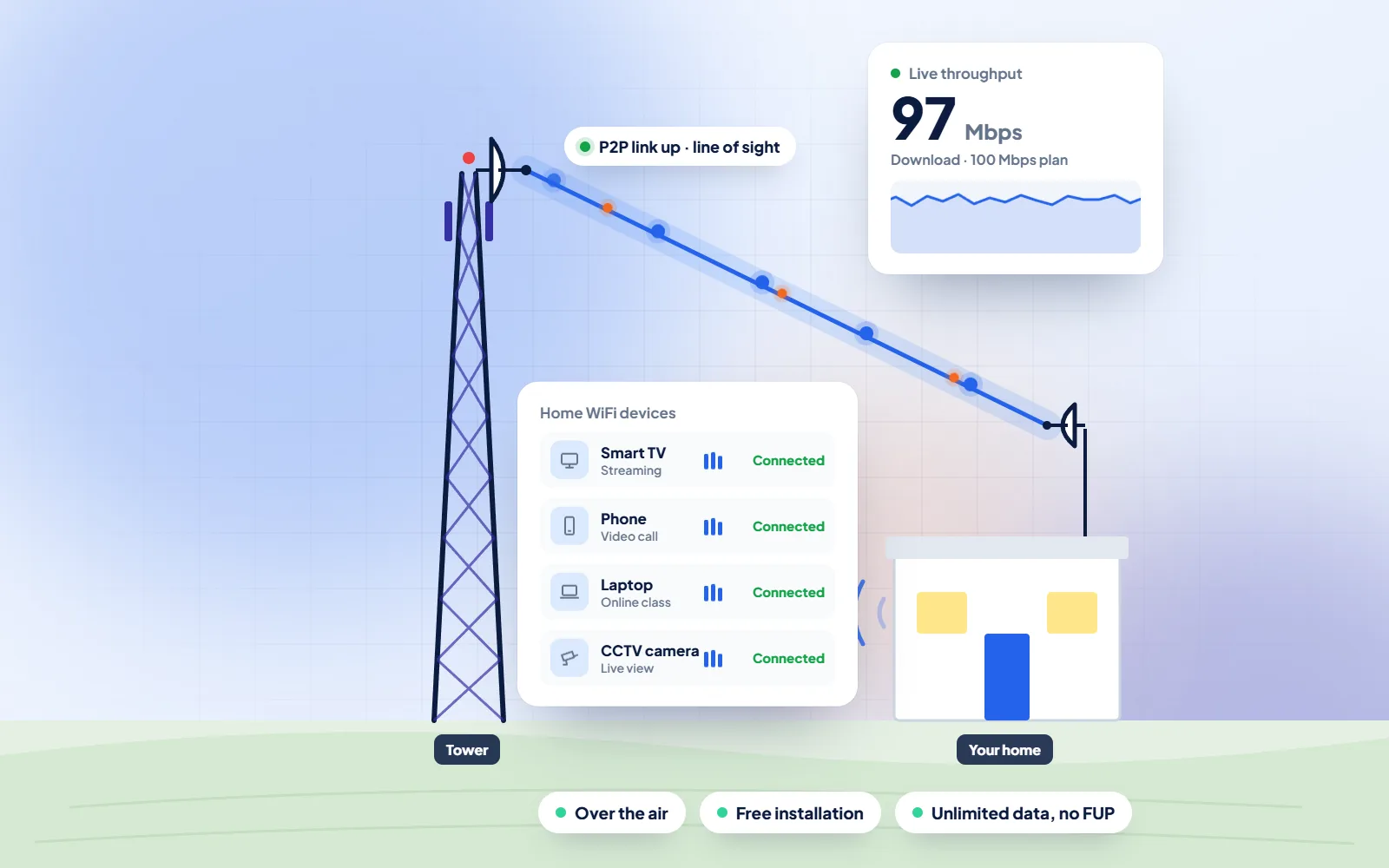
DVM Techno brings WiFi broadband to Kanwah, Jhajjar, from its Kasni branch, beaming the signal over the air to an antenna on your roof. Many houses in Kanwah now have an upper floor or a chaubara, and a router left in one corner downstairs rarely reaches it, so at installation we work out where the router should sit for the whole house.
Quick answer
DVM Techno provides wireless broadband internet in Kanwah, Jhajjar district, from its branch office in Kasni (Salhawas tehsil). The connection reaches your home over the air, so no cable has to be laid to your house. There are four plans — Basic 30 Mbps at ₹400 a month and Starter 50 Mbps at ₹600 a month (GST included), plus Standard 100 Mbps and Premium 200 Mbps — all with unlimited data and no FUP or speed throttling. Installation is free. Call or WhatsApp +91-8448523313 to check coverage at your address and for 100 and 200 Mbps prices.
| Plan | Speed | Price (incl. GST) | Good for |
|---|---|---|---|
| Basic | 30 Mbps | ₹400/month | One or two users: online classes, UPI and net banking, WhatsApp and video on one device |
| Starter | 50 Mbps | ₹600/month | Online classes and coaching apps, UPI and net banking, WhatsApp Business, HD video on one or two devices |
| Standard | 100 Mbps | Call or WhatsApp | Families with several phones and a smart TV, work-from-home video calls |
| Premium | 200 Mbps | Call or WhatsApp | Shops and offices, 4K streaming, remote CCTV viewing, many devices at once |
All plans have unlimited data with no FUP, and installation is free. Prices include GST; call or WhatsApp for the 100 and 200 Mbps rates.
Kanwah
Kanwah sits in the group of villages around the Bhindawas Bird Sanctuary: Wikipedia's article on Niwada names it as one of the villages that surround Niwada, along with Dhakla, Kasni, Redhuwas and Kohndrawali. In the tehsil-wise village list on Wikipedia's Jhajjar district article, Kanwah is listed under Jhajjar tehsil, alongside Kasni where our branch office is based.
The common complaint we hear from a house with two floors is simple: the internet is fine in the room with the router and poor everywhere else. That has more to do with the building than with the connection. Wikipedia's article on Wi-Fi notes that indoor range is about 20 metres from an access point, that walls, pillars and household appliances can cut it sharply, and that WiFi is very strongly affected by metal, including the steel rebar inside concrete. A reinforced concrete roof slab between the ground floor and the first floor is exactly that kind of barrier.
Frequency matters too. The same article explains that the 5 GHz band is absorbed more by common building materials than the 2.4 GHz band and usually gives a shorter range, while 2.4 GHz travels further at lower capacity. So a phone upstairs may hold on to 2.4 GHz while a laptop beside the router enjoys the faster 5 GHz signal. Placement does most of the work: a router near the staircase, raised off the floor, out of a steel almirah and away from the kitchen, often covers both floors. Where it cannot, a second access point upstairs, cabled back to the router, finishes the job.
Sources: Wikipedia — Niwada · Wikipedia — Wi-Fi · Wikipedia — Jhajjar district (tehsil-wise village list)
Where the router should not go
WiFi Broadband
How we get a usable WiFi signal into every room of a house in Kanwah, not just the one with the router.
Process
The same clear steps for every Kanwah project, with progress shared on WhatsApp.
Broadband Plans
Every plan includes unlimited data with no FUP, free installation over the air and local support. Prices include GST; call or WhatsApp for 100 and 200 Mbps rates.
30 Mbps
₹400 / month · incl. GST
50 Mbps
₹600 / month · incl. GST
100 Mbps
Call or WhatsApp
200 Mbps
Call or WhatsApp
FAQs
Straight answers to what Kanwah families and shopkeepers ask before they start.
DVM Techno provides wireless broadband in Kanwah, Jhajjar, from its branch office in Kasni, part of a network that covers 37 villages. The signal reaches a small antenna on your roof without any cable, and a router in the house turns it into WiFi. To book a free survey, call or WhatsApp +91-8448523313.
Basic 30 Mbps costs 400 rupees a month and Starter 50 Mbps costs 600 rupees a month, both inclusive of GST. Prices for Standard 100 Mbps and Premium 200 Mbps are available by call or WhatsApp from the Kasni team. The antenna and router are installed free.
No. There is no FUP on any plan and data is unlimited, so the speed does not drop after a certain amount of use in the month.
Once the free survey is done, installation usually takes 2 to 3 hours. In most villages covered from Kasni the connection goes live the same day.
No. The internet reaches your roof antenna over the air, so there is no cable from the street and no digging. A short cable runs from the antenna down to the router inside the house.
Usually because the router is downstairs and the concrete slab between the floors absorbs the signal; WiFi is strongly affected by the steel bars inside concrete. Moving the router to a central, raised spot near the staircase often fixes it. Our guide to slow WiFi and range covers more fixes you can try yourself.
As central as possible, at table height or higher, out of cabinets and away from the microwave, the fridge and big metal objects. In many houses the landing of the staircase or a ground-floor room directly under the main upstairs room works well. We pick the spot with you at installation.
Not always. Try a better router position first. If an upstairs room still has a weak signal, a second access point connected to the main router by a cable usually works more reliably than a plug-in extender, which can only repeat the weak signal it receives.
Call or WhatsApp +91-8448523313 · Mon–Sat, 9 AM – 7 PM · info@dvmtechno.com