
On this page
- Can you work from home in Chandul with a WiFi connection?
- What does a video call need: download, upload or a steady line?
- How do you keep the router running during a power cut?
- How do you set up a quiet work corner in a village home?
- Where can you find genuine online jobs, and how do you avoid scams?
- How to get connected in Chandul
- Plans and prices in Chandul
- FAQs
Key takeaways
- DVM Techno provides wireless broadband in Chandul (also spelled Chandol) from its Kasni branch, from 400 rupees a month with unlimited data.
- For video calls, upload speed and a steady line matter more than headline download speed.
- Put the router, and any power adapter for the roof antenna, on an inverter-backed socket so power cuts do not end a meeting.
- Use official job portals such as the National Career Service, and never pay a fee to get a job.
Can you work from home in Chandul with a WiFi connection?
Yes. DVM Techno’s Kasni branch provides WiFi broadband in Chandul over the air to a small roof antenna, with no cable or digging, and plans start at 400 rupees a month with unlimited data. The village is also spelled Chandol in some records; both names mean the same place. Plans and coverage are on the Chandul broadband page.
Remote work from a village home is practical for many roles: customer support, data entry, accounting, content writing, design, tutoring and software work. What decides whether it works is not the village but four things in your house: the connection, power backup, a quiet place to sit, and finding work that is genuine. This guide takes them one at a time.
What does a video call need: download, upload or a steady line?
A video call sends your picture and voice out as well as bringing the others in, so upload speed and a steady line matter as much as download. A connection that tests fast at noon but drops for a few seconds every hour will still freeze you in front of a client.
| Work task | What matters most | Practical tip |
|---|---|---|
| Video meetings and interviews | Upload and steadiness | Run a speed test at the time your meetings usually happen, not just once |
| Sending large files (designs, edited videos, backups) | Upload speed | Start big uploads before lunch or at night, not just before a deadline |
| Email, cloud documents and chat | A line that stays up all day | Even the Basic plan handles this; reliability counts more than speed |
| Screen sharing and remote desktop | Low delay and upload | Plug the laptop into the router with a LAN cable instead of WiFi |
| Online tests for a job | No drop for the full test | Charge the laptop, keep the phone hotspot ready as a backup |
At the signal check, ask what upload speed you can expect on each plan. Our guide to 50, 100 and 200 Mbps plans explains upload and download in more detail.
How do you keep the router running during a power cut?
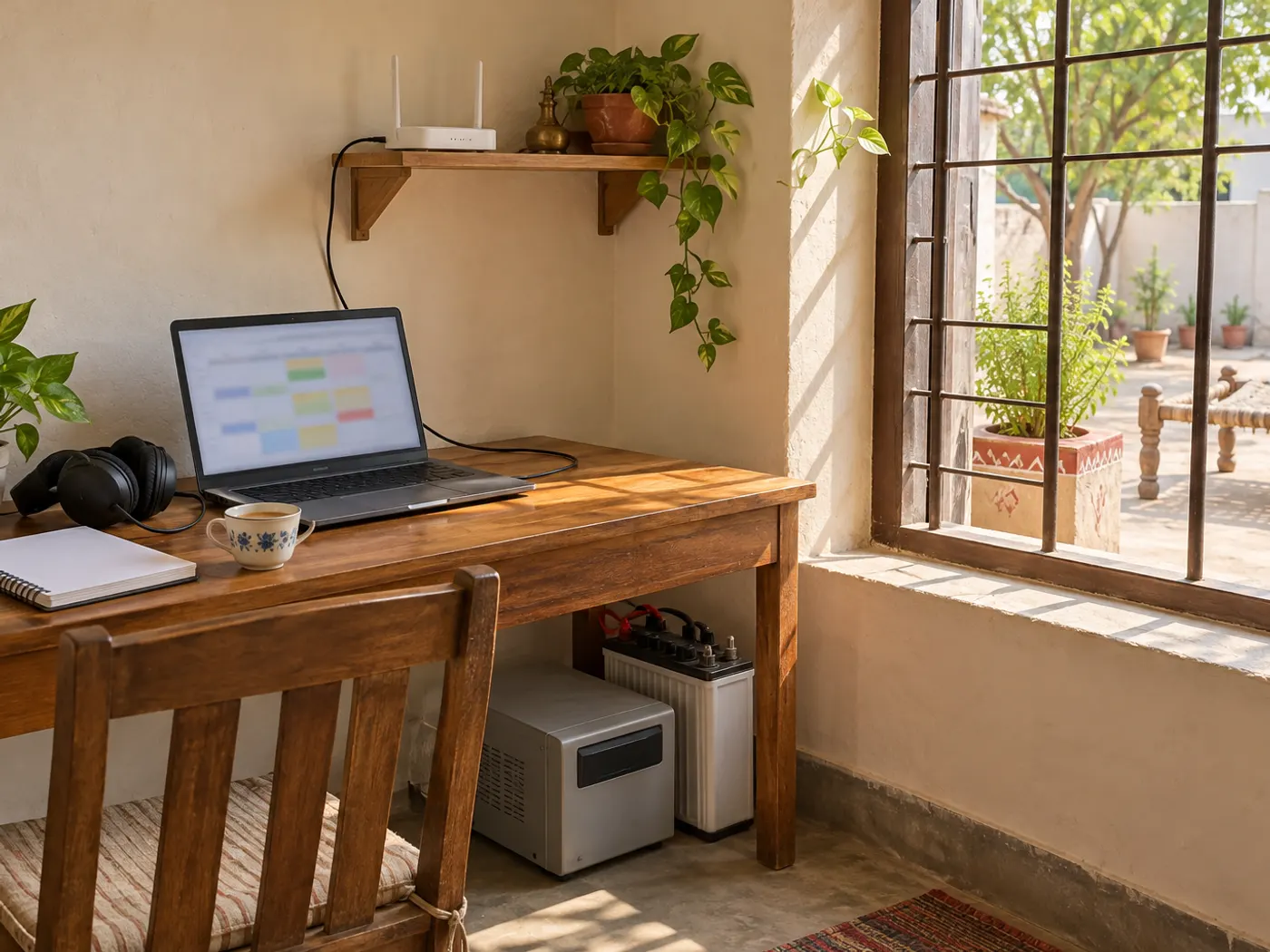
Run the router from an inverter-backed socket, and do the same for any power adapter that feeds the roof antenna. If either loses power, the internet stops even though your laptop battery is full.
- Find the inverter sockets: in many homes only some sockets are on inverter wiring. Test by switching off the mains and checking which ones stay live.
- Plan it at installation: ask the installer to place the router and the antenna’s power adapter, if one is fitted, near an inverter socket.
- Consider a small UPS for the router if your inverter takes a moment to switch over and the router restarts every time.
- Keep a fallback: a phone hotspot with some data left saves an important meeting if something fails.
- Tell your team: if a long cut is announced, let your manager or client know in advance.
How do you set up a quiet work corner in a village home?
Choose the room furthest from the lane, the courtyard and the cattle, close to the router, with light falling on your face. A small, fixed corner works better than moving the laptop around the house every day.
- Sit with a plain wall behind you and the window in front of or beside you, never behind.
- Use headphones with a microphone; they cut out the fan, the TV and the tractor outside.
- Keep a LAN cable from the router to the desk for calls, and use WiFi for everything else.
- Share your meeting times with the family so the room stays quiet when it matters.
- Keep a notebook, a charger and a power strip on the inverter line at the desk.
If the work room is on another floor and the signal is weak there, see how to increase WiFi range at home.
Where can you find genuine online jobs, and how do you avoid scams?
Start with official portals such as the National Career Service (ncs.gov.in), run by the Ministry of Labour and Employment. The portal says it does not charge any fee at any stage of registration, job application or interview processing, and its toll-free helpline is 1514.
NCS also warns that some parties falsely claim to be linked with it, and that jobseekers should not pay fees to employers. Watch for these warning signs in any work-from-home offer:
- A registration, training or security fee before you start.
- Being paid to like videos, write reviews or complete small tasks, then asked to deposit money to unlock earnings.
- Requests for OTPs, UPI PINs or bank login details.
- No company name, address or written offer, only chats on a messaging app.
If you are cheated online, report it on the national cyber fraud helpline 1930 as soon as possible.
How to get connected in Chandul
- Send a WhatsApp or call +91-8448523313 between 9 AM and 7 PM, Monday to Saturday; mention Chandul and that you work from home.
- After the signal test on your roof, show the technician where your work desk is so the router goes near it and near an inverter socket.
- Choose your plan; frequent video calls and large uploads suit 100 Mbps or more.
- Installation is free, and the connection often goes live the same day; run a test call before your next working day.
Plans and prices in Chandul
| Plan | Speed | Monthly price | For remote work |
|---|---|---|---|
| Basic | 30 Mbps | 400 rupees a month (GST included) | Email, documents, chat and the odd video call |
| Starter | 50 Mbps | 600 rupees a month (GST included) | Daily video meetings for one person |
| Standard | 100 Mbps | Call or WhatsApp for price | Work-from-home video calls with a family online too |
| Premium | 200 Mbps | Call or WhatsApp for price | Large file uploads, two people working, many devices |
Every plan has unlimited data with no FUP, free installation and support from the Kasni team. Chandul is one of the villages on the Kasni broadband network. For a general overview, read how to get WiFi in a village, or check your address on the Chandul plans page.
Frequently Asked Questions
Is WiFi broadband available in Chandul (Chandol), Jhajjar?
Yes. DVM Techno provides wireless broadband in Chandul, also spelled Chandol, from its branch in Kasni. The signal reaches a small antenna on your roof over the air, so no cable is laid. Plans start at 400 rupees a month for 30 Mbps, with unlimited data and no FUP, and installation is free. Call or WhatsApp +91-8448523313.
Which plan suits work from home with daily video calls?
One person with daily video meetings can start on the Starter 50 Mbps plan at 600 rupees a month with GST included. If others at home stream or study at the same time, or you upload large files, the Standard 100 Mbps plan is the safer choice. Ask about the upload speed for each plan during the signal check at your house.
Why does my video freeze on calls when the speed test looks fine?
A video call needs upload speed and a steady line, not just download speed. Short drops, a weak WiFi signal in your room, or other people streaming at the same time can freeze your video. Plug the laptop into the router with a LAN cable, pause big downloads during meetings, and run speed tests at the time your calls usually happen.
Will my internet work during a power cut?
Only if the router, and any power adapter that feeds the roof antenna, stay powered. Plug them into a socket on inverter wiring, and consider a small UPS if the router restarts every time the inverter switches over. Ask the installer to place the router near an inverter socket during installation, and keep a phone hotspot as a fallback.
Is the National Career Service portal free for jobseekers?
Yes. The National Career Service portal at ncs.gov.in, run by the Ministry of Labour and Employment, says it does not charge any fee at any stage of registration, job application or interview processing. It also advises jobseekers not to pay fees to employers. Its toll-free helpline is 1514, and cyber fraud can be reported on 1930.
How do I spot a fake work-from-home job offer?
Be careful if you are asked to pay a registration, training or security fee, if you are paid for likes or reviews and then asked to deposit money, or if anyone asks for an OTP, UPI PIN or bank login. A genuine employer gives a company name, address and written offer. Report online fraud on the helpline 1930.
Related articles
Get WiFi in Chandul
Wireless broadband from DVM Techno’s Kasni branch: 30 Mbps for 400 rupees a month and 50 Mbps for 600 rupees a month (GST included), 100 and 200 Mbps on call, unlimited data, no FUP and free installation. Call or WhatsApp +91-8448523313.