
On this page
- Can a big joint family in Mundahera share one WiFi connection?
- Which speed suits a household of 8 to 12 people: 30, 50, 100 or 200 Mbps?
- How many devices can use the WiFi at the same time?
- Where should the router go in a two-storey house?
- Is one shared plan better than many mobile recharges?
- How to get connected in Mundahera
- Plans and prices in Mundahera
- FAQs
Key takeaways
- WiFi broadband is available in Mundahera from DVM Techno’s Kasni branch over the air, with plans from 400 rupees a month and unlimited data with no FUP.
- Size the plan for the busiest evening hour: one TV and many phones fit 50 Mbps, two TVs and classes suit 100 Mbps, two 4K TVs and calls suit 200 Mbps.
- In a two-storey house, mount the router high near the stairwell and add a wired access point upstairs if the upper floor stays weak.
- One unlimited home plan can replace many individual data recharges, and its fixed bill is easy to split between the families in the house.
Can a big joint family in Mundahera share one WiFi connection?
Yes. WiFi broadband is available in Mundahera from DVM Techno’s Kasni branch. It reaches the house over the air at a small antenna on the roof, so no cable is laid, and plans start from 400 rupees a month with unlimited data and no FUP. One connection with a well-placed router can serve the whole joint family.
A joint family of 8 to 12 people can easily have 10 or more phones, one or two TVs and a laptop under one roof, spread across two floors. The questions are always the same: how much speed, how many devices at once, where to put the router, and whether one plan can replace everyone’s data recharges. This guide works through each. Coverage for your lane is on the Mundahera WiFi page.
Which speed suits a household of 8 to 12 people: 30, 50, 100 or 200 Mbps?
Size the plan for the busiest evening hour, not for the number of people. In most joint families that hour has one or two TVs, several phones on video and perhaps a class or a call. A large video platform’s system requirements recommend 2.5 Mbps for 720p, 5 Mbps for 1080p and 20 Mbps for 4K; using those figures:
| Evening in the house | What runs together | Approx. speed used | Plan with room to spare |
|---|---|---|---|
| Quiet evening | 1 TV in 1080p, 4 phones on 720p video | About 15 Mbps | Basic 30 Mbps |
| Typical evening | 1 TV in 1080p, 8 phones on 720p video, 1 online class | About 30 Mbps | Starter 50 Mbps |
| Busy evening | 2 TVs in 1080p, 10 phones on 720p video, 1 video call | About 40 Mbps, plus any updates | Standard 100 Mbps |
| Peak evening | 2 TVs in 4K, 10 phones on 720p video, 2 laptops on classes | About 75 Mbps | Premium 200 Mbps, or 100 Mbps with less 4K |
Treat the table as an upper estimate: phones rarely all play video at the same moment, and chats, UPI and short browsing use far less. If the family regularly hits the ‘busy’ row, Standard 100 Mbps is the comfortable choice for 8 to 12 people.
How many devices can use the WiFi at the same time?
Router models differ in how many devices they handle comfortably, but in a home the real limit is usually that every busy device shares the same plan speed and WiFi airtime. Ten phones idle on chat use very little; ten phones on video add up quickly.
- List every phone in the house, including elders’ and children’s, plus tablets.
- Add TVs, streaming sticks, laptops and desktop PCs.
- Add the quiet devices: WiFi cameras, smart plugs and a printer.
- Mark the ones that stream video in the evening; these decide the plan.
- After a week, open the router’s device list and remove anything you do not recognise.
If the WiFi feels slow only when the whole family is home, the plan is full. If it is slow even at noon in a far room, the problem is router range, not speed.
Where should the router go in a two-storey house?
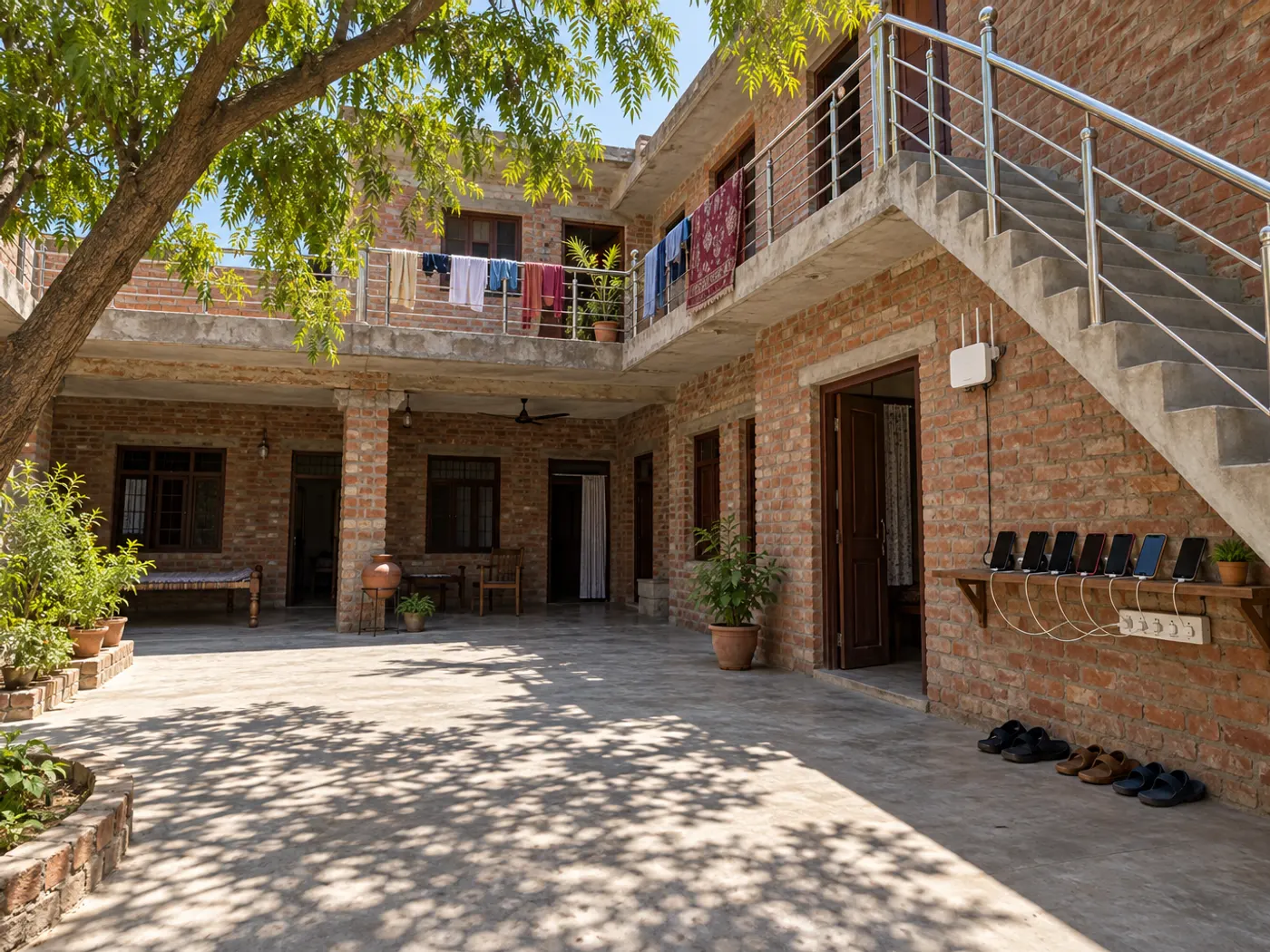
Mount it high on a ground-floor wall near the stairwell, and if the upper floor is still weak, run a LAN cable up the stairs to a second access point. A concrete roof slab and thick brick walls block much of the WiFi signal between floors.
- Decide before installation: the antenna is on the roof and a cable runs down to the router, so choose a central spot near the stairs rather than a corner room.
- Separate family portions: where brothers’ families live on different floors, a wired access point on each floor gives everyone a strong signal from one plan.
- Courtyard houses: a router behind closed iron doors loses range; a spot facing the open courtyard usually reaches more rooms.
- Bands: use 2.4 GHz for far rooms and the roof, and 5 GHz near the router for TVs and laptops.
- Power: put the router and antenna adapter on the inverter so the whole house stays online in a power cut.
For more fixes, including mesh systems and repeaters, read our guide to the WiFi slow problem and how to increase WiFi range.
Is one shared plan better than many mobile recharges?
For a joint family, one unlimited home plan can replace many individual data recharges, because every phone, TV and laptop at home uses the same connection with no daily cap. Each person still keeps a mobile pack for calls and for use outside the house.
- One fixed bill: the Starter 50 Mbps plan at 600 rupees a month, shared by three families in the house, is 200 rupees each.
- No one runs out: a child’s online class no longer depends on a parent’s hotspot or the day’s data left.
- Review recharges: after a month on home WiFi, check each phone’s data usage screen and decide whether everyone still needs a large data pack.
- House rules: keep one adult as the router admin, give visitors the guest network, and agree on quiet hours for big downloads.
How to get connected in Mundahera
- Call or WhatsApp +91-8448523313, Monday to Saturday, 9 AM to 7 PM, and say ‘Mundahera’, how many floors the house has and roughly how many devices you use.
- A free signal test is done at your roof to confirm the antenna can reach the network.
- The antenna and router are installed free, usually in 2 to 3 hours. Agree the router spot in advance.
- In most villages the internet starts the same day. Connect every device and keep the router admin password somewhere safe.
See the Mundahera broadband page for coverage, or browse all 37 villages around Kasni. For a general comparison of connection types, read about WiFi connections in a village.
Plans and prices in Mundahera
Every plan has unlimited data with no FUP, free installation of the antenna and router, and local support from Kasni.
| Plan | Speed | Monthly price | For a joint family |
|---|---|---|---|
| Basic | 30 Mbps | 400 rupees (GST included) | One portion of the house: a TV and a few phones |
| Starter | 50 Mbps | 600 rupees (GST included) | One TV and most phones online together |
| Standard | 100 Mbps | Call or WhatsApp for price | 8 to 12 people with two TVs and online classes |
| Premium | 200 Mbps | Call or WhatsApp for price | Two 4K TVs, work calls and many devices at once |
Get the 100 and 200 Mbps prices on +91-8448523313 or on the Mundahera plans page.
Frequently Asked Questions
Is WiFi broadband available in Mundahera, Jhajjar?
Yes. DVM Techno provides wireless broadband in Mundahera from its branch in Kasni. The signal reaches a small antenna on your roof over the air, so no cable or digging is needed. Plans start at 400 rupees a month for 30 Mbps, with unlimited data and no FUP, and installation is free. Call or WhatsApp +91-8448523313 to check your house.
Which plan suits a joint family of 10 people?
Count what runs together in the busiest evening hour. One TV in HD and several phones on video fit Starter 50 Mbps. With two TVs, online classes or a video call at the same time, Standard 100 Mbps is the comfortable choice. Two 4K TVs plus laptops on calls suit Premium 200 Mbps. Call +91-8448523313 for 100 and 200 Mbps prices.
How many devices can connect to one WiFi router?
It varies by router model, but in a family home the practical limit is usually shared speed rather than the number of connections. Phones idle on chat use very little, while every phone or TV playing video takes a share of the plan. List your devices, mark the ones that stream in the evening and size the plan for those.
How do I get WiFi on both floors of my house?
Mount the router high on the ground floor near the stairwell, because a concrete slab blocks much of the signal between floors. Use 2.4 GHz for upstairs rooms. If the upper floor is still weak, run a LAN cable up the stairs to a second access point or a wired mesh unit, which gives that floor its own strong signal.
Can several families in one house share one connection?
Yes. One plan can serve every portion of the house, with an access point on each floor if needed. The fixed monthly bill is easy to split; for example, Starter 50 Mbps at 600 rupees a month shared three ways is 200 rupees each. Keep one adult as router admin and give visitors the guest network.
Is there a data limit on the WiFi plans in Mundahera?
No. Every plan, from Basic 30 Mbps to Premium 200 Mbps, has unlimited data with no FUP, so the speed does not drop after a set amount of use however many family members are online. Installation of the antenna and router is free, and support comes from the local team in Kasni.
Related articles
Get WiFi in Mundahera
Unlimited wireless broadband with no FUP from DVM Techno’s Kasni branch: 30 Mbps at 400 rupees and 50 Mbps at 600 rupees a month (GST included), 100 and 200 Mbps on request, free installation. Call or WhatsApp +91-8448523313.